


YouTube Description Generator
The best YouTube descriptions follow a consistent structure. These templates give you a starting framework for different video types.
How it works
How to use the YouTube description generator
Four inputs, instant results. No YouTube API connection or account linking required.
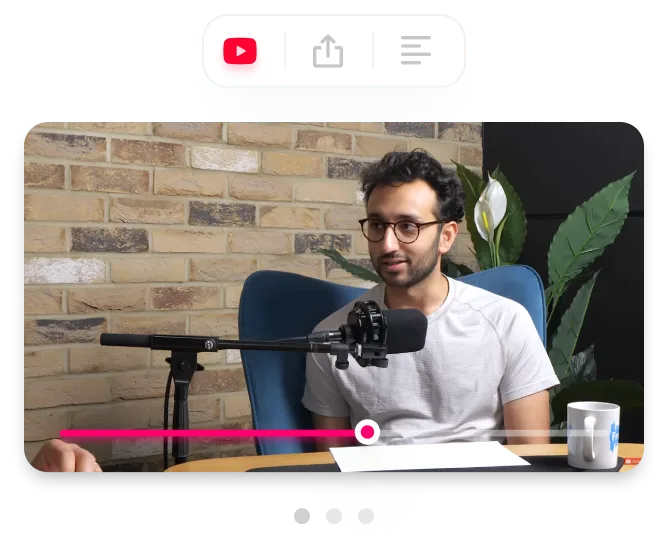
Enter your video topic
Describe what your video covers in a sentence or phrase. The generator uses this to create a relevant, keyword-rich description tailored to your content.
Add title and keywords (optional)
Enter your video title and target keywords to improve keyword alignment and SEO relevance. The generator incorporates these into the opening hook and body paragraph.
Generate your description
Click Generate Description to get a structured output with a keyword-rich opening hook, body paragraph, and hashtags optimized for YouTube search.
Copy and personalize
Copy the description to your clipboard, then add your timestamps, social links, related video URLs, and any resources mentioned in your video. The AI handles structure and keyword placement; you add the details only you know.
FEATURES
What the description generator includes
The best YouTube descriptions follow a consistent structure. These templates give you a starting framework for different video types.
Keyword-rich opening hook
The first 1-2 sentences are crafted to include your primary keyword and communicate the video's value. This is the text visible above YouTube's "Show more" fold and the snippet that appears in search results.
Structured body paragraph
The generator produces a natural body section that expands on your topic with secondary keywords and context. YouTube uses this text as a relevance signal for search ranking.
Hashtag suggestions
Each description ends with 3-5 relevant hashtags. The first three appear as clickable links above your video title on YouTube, driving additional discoverability.
Character count display
A live character counter shows your description length so you stay within YouTube's 5,000 character limit and can gauge whether you have room to add timestamps and links.
Copy to clipboard
One click copies the entire description. Paste it directly into YouTube Studio, then add your timestamps, links, and personal details.
Fresh generation every time
Descriptions are generated from scratch on each request. No recycled templates or cookie-cutter outputs. Run it twice and you get different phrasing.
Why creators use this description generator
Built for anyone who wants to measure thumbnail performance and find growth opportunities.
Skip the blank page
Most creators leave the description empty or paste the same boilerplate on every video. The generator gives you a structured, keyword-optimized starting point in seconds so you publish with proper SEO instead of nothing.
Get consistent SEO structure
Every generated description follows the hook-body-hashtags format that YouTube rewards in search. Manual descriptions tend to drift in quality across videos. The generator keeps your SEO baseline consistent.
Spend time on what only you can add
The AI handles keyword placement and structure. You add the timestamps, social links, resource URLs, and personal context that make the description genuinely useful to viewers.
Frequently asked questions
How long should a YouTube description be?

Aim for 200 to 500 words (roughly 1,000 to 3,000 characters). YouTube allows up to 5,000 characters, but the sweet spot is enough text to give YouTube context for search ranking without overwhelming viewers. The first 150-200 characters matter most because they appear above the "Show more" fold.
Do YouTube descriptions affect SEO?
Yes. YouTube uses your description as a secondary ranking signal alongside your title and tags. Descriptions help YouTube understand what your video is about and match it to relevant search queries. They also appear in Google search results, giving you an additional surface for organic traffic.
What should I put in the first two lines?
Your primary keyword and a clear summary of what the video covers. These first two lines are the only text visible before a viewer clicks "Show more," and they appear as the snippet in YouTube and Google search results. Make them count by communicating the video's value immediately.
Should I use hashtags in my YouTube description?
Yes, but limit them to 3-5 relevant hashtags placed at the end of the description. The first three hashtags appear as clickable links above your video title. Using more than 15 hashtags causes YouTube to ignore all of them, so stick to specific, relevant terms rather than broad ones.
How does this description generator work?
This AI description generator creates a structured YouTube description based on your video topic, optional title, and target keywords. It creates a description with a keyword-rich opening hook, body paragraph, and hashtags, all optimized for YouTube search and viewer engagement. Each description is generated fresh, with no templates or pre-written text.
Should I use the exact description this tool generates?
Use the generated description as a strong starting point, then customize it with your specific timestamps, links, and channel details. The AI handles structure and keyword placement, but you should add personal touches like your social media links, related video URLs, and any resources mentioned in the video.
Stop losing views to mediocre thumbnails
Generate studio-quality thumbnails that stop scrolling and drive clicks in seconds. No design skills needed.
+50% average CTR increase
2× faster production speed
90% reduction in design cost
