


Apex Legends thumbnail maker
Generate Apex Legends thumbnails from your gameplay. Skip Blender entirely.
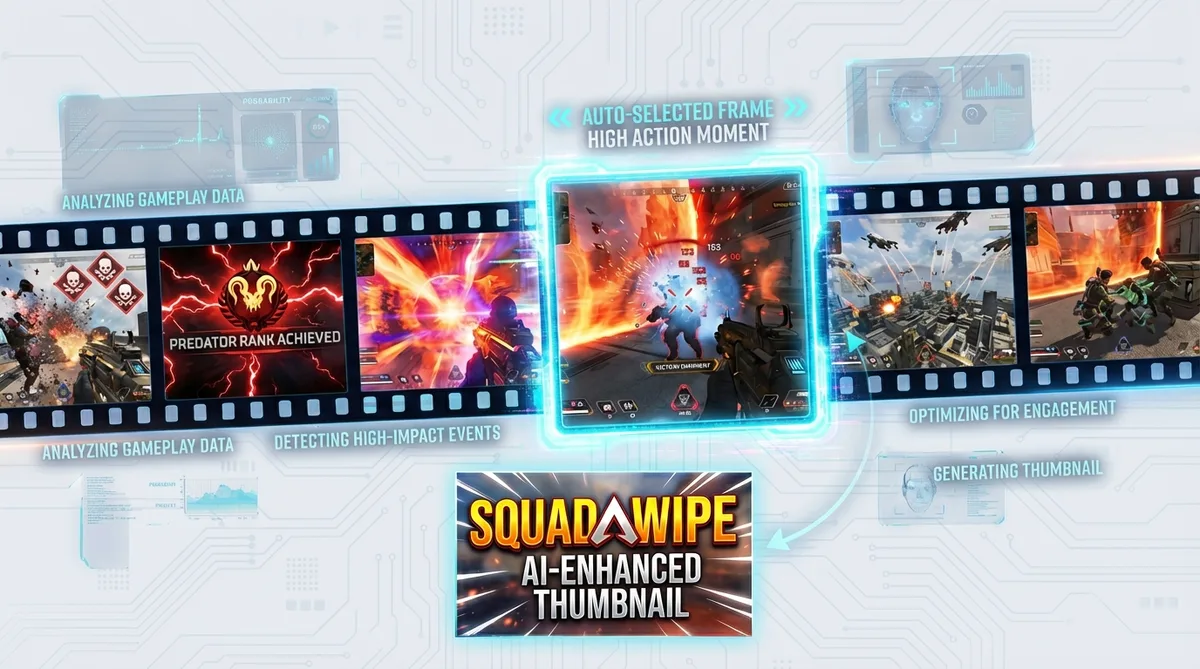
Drop a YouTube link and Thumbmagic pulls the most dynamic moments from your footage and builds compositions around the action-heavy Apex aesthetic. No Blender rigs. No PSD template packs.
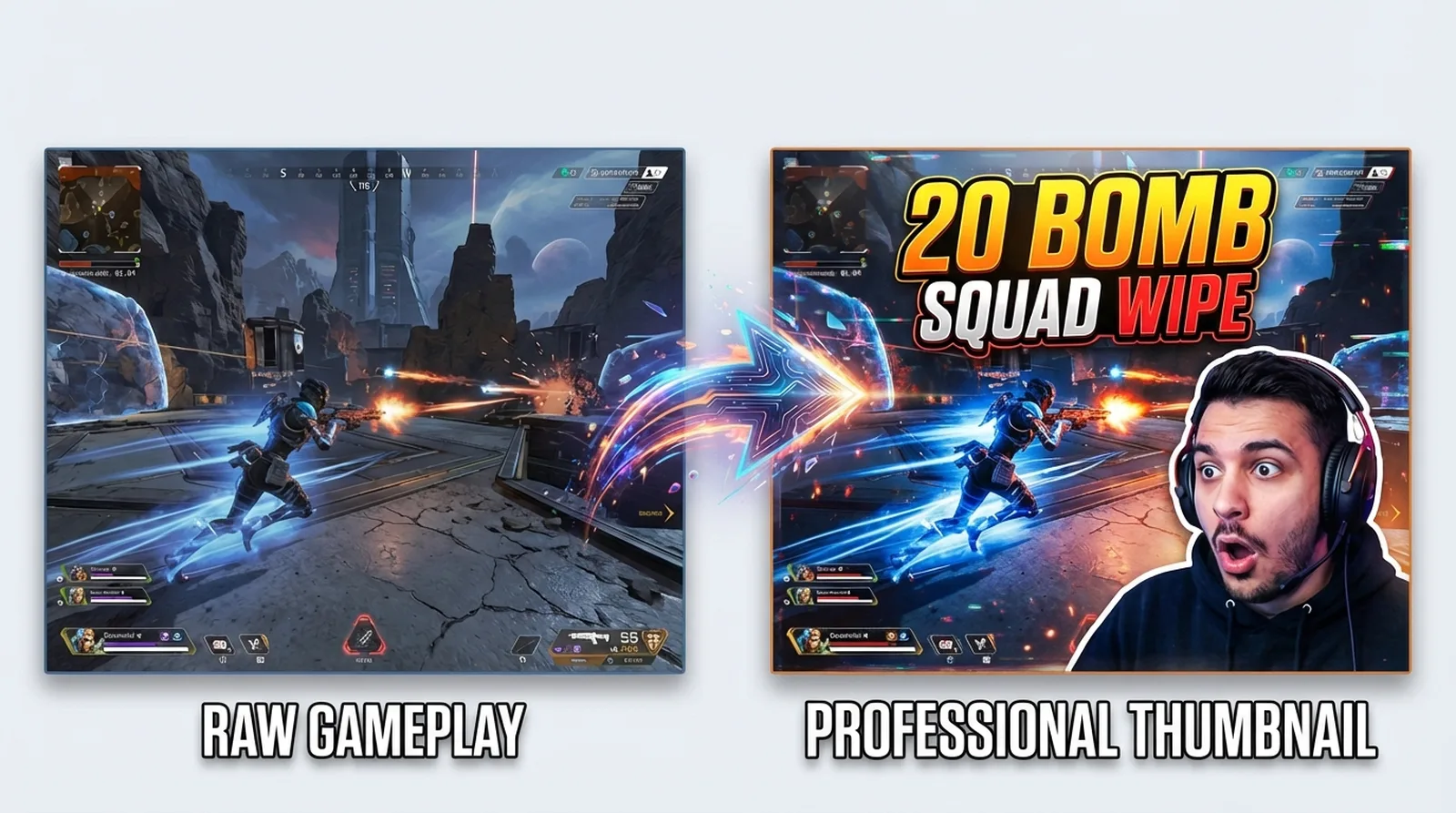



Skip Blender for your Apex Legends thumbnails
Most Apex Legends thumbnails feature 3D legend renders in dynamic poses. Getting that look currently means Blender (a 20-minute workflow per thumbnail) or buying PSD packs that still require Photoshop. Thumbmagic generates legend-focused thumbnails from your gameplay footage instead - about 45 seconds from URL to export.
AI-generated thumbnails also sidestep copyright concerns around extracting EA's official Apex assets.
Features
Built for Apex Legends thumbnail creators
These features address the daily workflows of Apex creators uploading ranked grinds, clutch montages, and legend guides.
Turn Apex gameplay into a thumbnail
Video-to-Thumbnail feature analyzes your gameplay URL and generates compositions from the recording.
Match your expression to every squad wipe
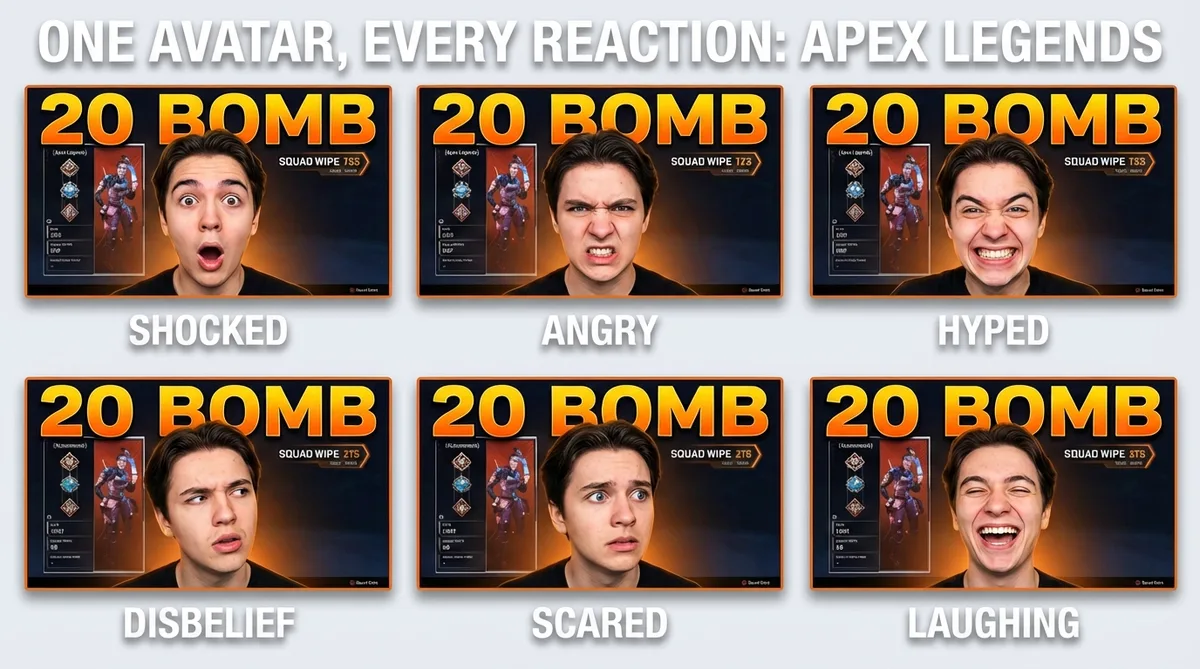
Upload one avatar photo and the expression changer produces every reaction Apex content demands. Disbelief for a 1v3 in the final ring, hype for a Predator promotion, or fury after a squad-mate drops solo. Skip the green screen entirely.
Replicate Apex thumbnail templates from top channels
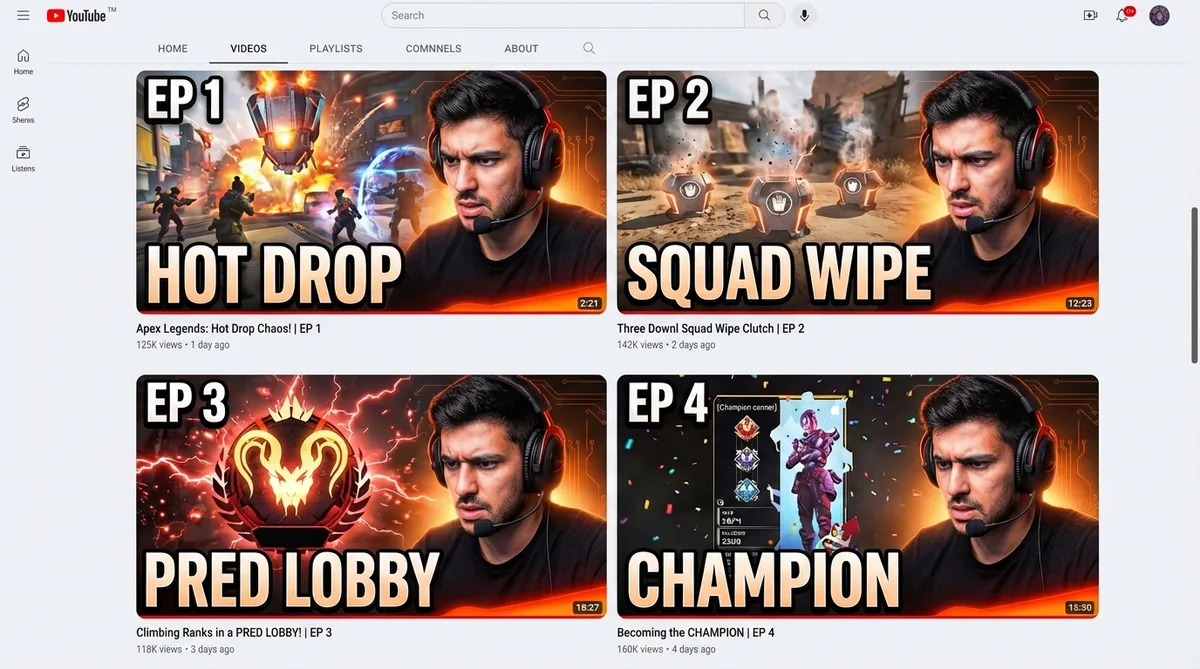
Spot a layout from iTemp or NiceWigg that converts? Feed that thumbnail URL into Thumbmagic and it rebuilds the composition with your avatar and footage. Same proven layout, your squad wipe.
Add text readable at mobile size
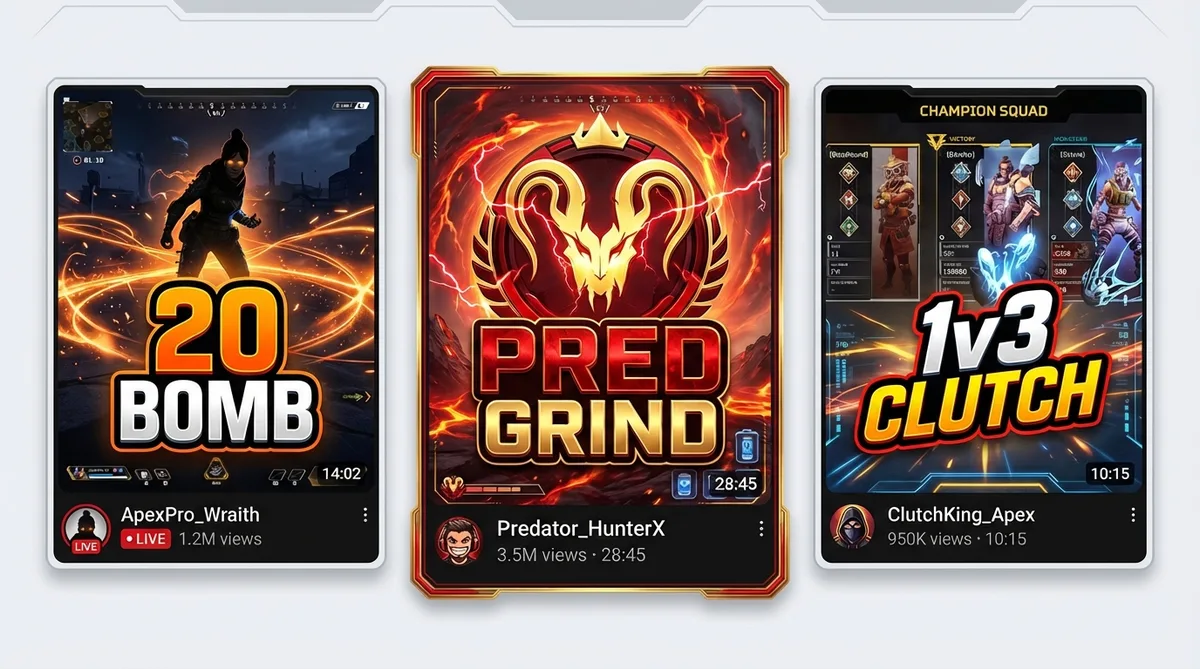
Apex thumbnails need short, punchy callouts - '20 BOMB', 'PRED GRIND', '1v3 SQUAD WIPE' - that read at mobile size over action-packed legend compositions. Adjust weight, shadow, color, and placement to match Apex's high-energy palette.
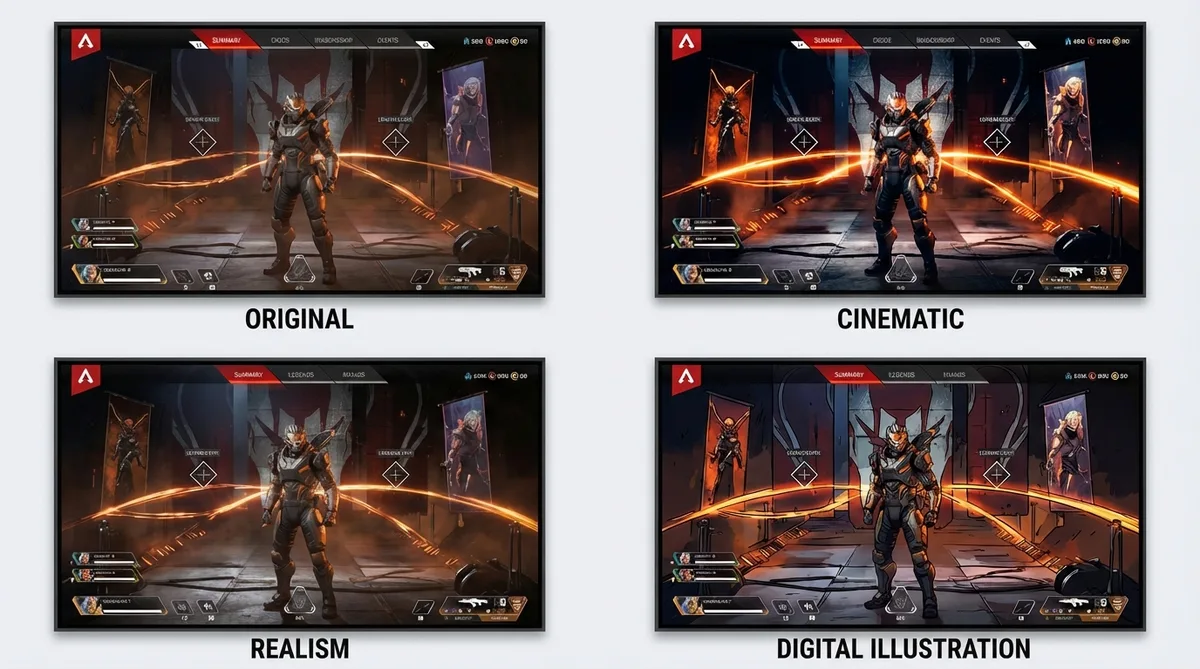
Apply the Cinematic filter for Apex energy
The Cinematic filter adds dramatic color grading that matches Apex's high-octane visual identity - deep shadows with bright ability-effect highlights, the look of an Apex launch trailer. Six filters total, each processed in about 20 seconds.
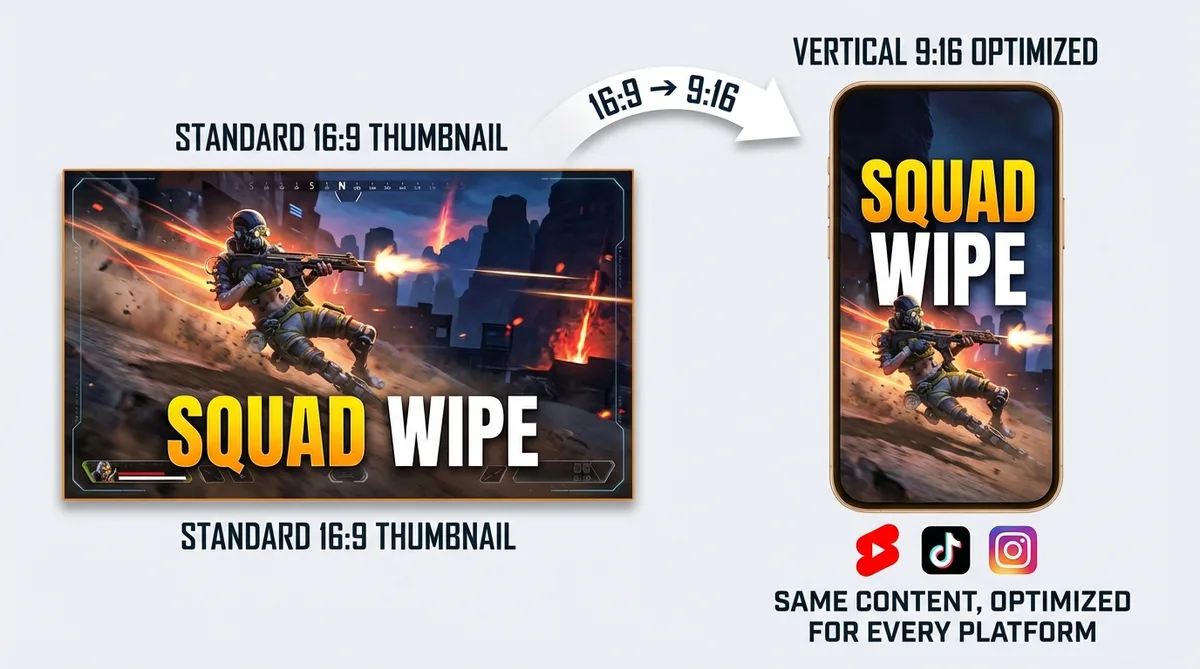
Switch to vertical for Apex Shorts
Apex clips - squad wipes, 1v3 clutches, Predator highlights - translate well to short-form. Switch to 9:16 templates for YouTube Shorts, TikTok, and Instagram Reels. Legend-centered compositions work naturally in vertical. One video-to-thumbnail workflow for every platform.
How it works
How the Apex Legends thumbnail maker works
Three steps from gameplay clip to finished thumbnail.

Drop your Apex gameplay link
Link your squad wipe montage, Predator grind, or legend guide. Upload raw footage if it is not on YouTube yet (MP4, MOV, AVI, WEBM up to 5GB).

Thumbmagic analyzes your footage and builds the composition
The tool grabs the most dynamic frame from your footage, and builds a composition around the action. Add your avatar and adjust text.

Set the intensity and export
Shocked for a 1v3 squad wipe. Excited for a Predator promotion. Apply a filter, lock in bold text like '20 BOMB' or '1v3 CLUTCH,' and export at 1280x720. Switch to 9:16 for Shorts or TikTok clips.
USE CASES
Who uses an Apex Legends thumbnail maker
Any creator uploading Apex content who needs polished thumbnails without the 3D render pipeline.
Ranked and competitive creators
Predator grind content, legend tier lists, and ranked guides need polished thumbnails with rank badges and bold text. Generate the look without sourcing legend renders manually.
Highlights and montage creators
1v3 clutch compilations and 20 bomb highlights need thumbnails that capture the energy of the moment. Expression presets handle the reaction shot.
News and update creators
Patch notes and new legend reveals require fast turnaround. Generate a thumbnail the moment update footage is available instead of waiting on Fiverr or building from scratch.
Shorts and clips creators
Daily Apex clips for Shorts and TikTok need 9:16 covers. Switch to vertical format in the same workflow without a separate tool.
Guides and tutorial creators
Legend tier lists, weapon comparisons, and ranked strategy guides need clear visual hierarchy. Generate thumbnails that signal educational content with bold text and focused compositions.
Frequently asked questions
What is the best free Apex Legends thumbnail maker?

Thumbmagic generates legend-focused Apex thumbnails directly from your gameplay URL. Three free generations (six thumbnails). No credit card. No watermark.
How do I make an Apex Legends thumbnail without Photoshop?
Paste your squad wipe, Predator grind, or legend guide URL. Thumbmagic analyzes your footage and builds the composition from the highest-energy moment. No PSD packs, no model extraction.
Can I make 3D Apex Legends thumbnails without Blender?
Yes. Thumbmagic generates legend-focused compositions from your gameplay video without 3D modeling software or a render pipeline.
What size should Apex Legends thumbnails be?
1280x720 pixels at 16:9 for standard YouTube thumbnails. Switch to 9:16 vertical for Shorts and TikTok Apex clips.
Is it copyright-safe to use Apex Legends content in thumbnails?
Thumbmagic generates original AI art from your gameplay video. This avoids the copyright ambiguity of extracting and reusing EA's official Apex Legends character assets.
How long does it take to make an Apex thumbnail?
About 45 seconds from URL to export. Compare that to 20+ minutes in Blender or 15-30 minutes assembling Photoshop PSD packs.
Generate your first Apex Legends thumbnail
Generate studio-quality thumbnails that stop scrolling and drive clicks in seconds. No design skills needed.
+50% average CTR increase
2× faster production speed
90% reduction in design cost
