


Minecraft Thumbnail Maker
Generate Minecraft thumbnails from your video in seconds. No Blender. No render pipeline.
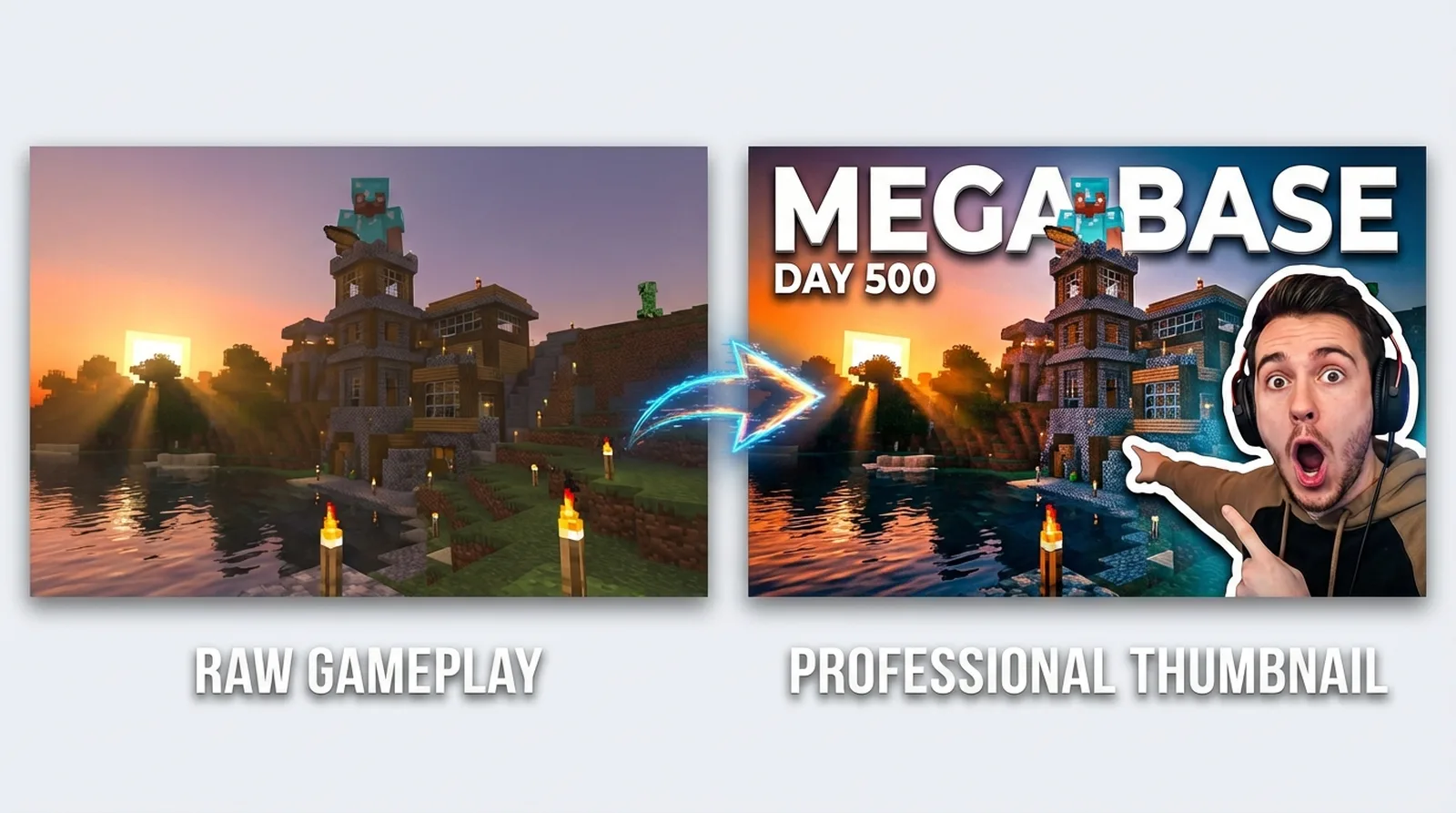
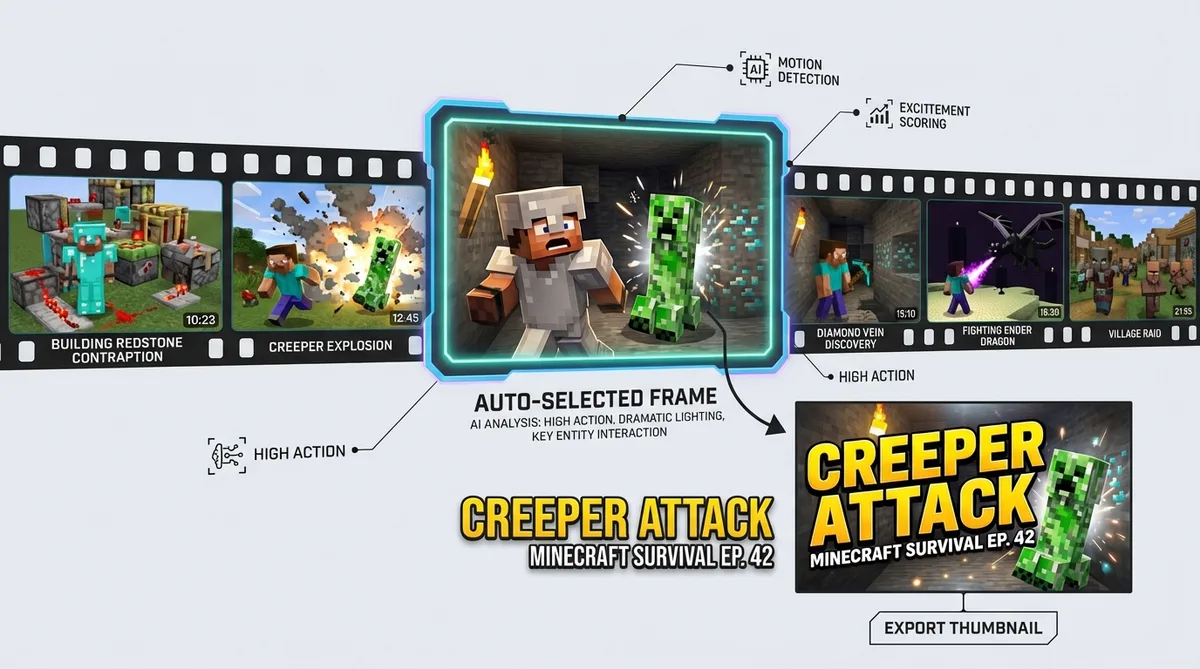
Add your YouTube URL and Thumbmagic scans your Minecraft gameplay, finds compelling frames, and generates a complete thumbnail in about 45 seconds. No Blender posing, no Photoshop compositing.



The Minecraft thumbnail problem
Minecraft thumbnails require 3D rendered characters with custom skins, posed in scene, with proper lighting. That means Blender: import your skin with MCPrep, pose the character, build the scene, render, then composite in Photoshop. Total: 1-2 hours per thumbnail.
For a survival series with daily episodes, that is unsustainable. MCRender and Nova Skin shortcut the render step, but they output a character render, not a complete thumbnail.
Features
Minecraft thumbnail features
These features handle the unique visual demands of Minecraft content, from block-based aesthetics to shader-lit landscapes.
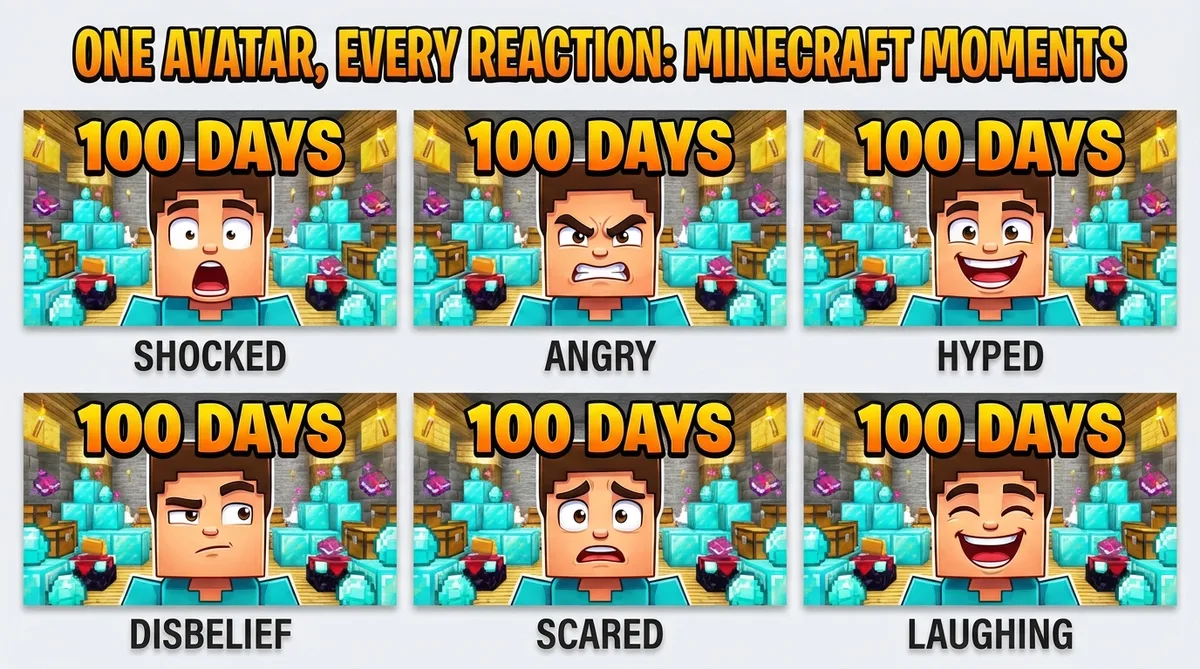
Apply expression presets for Minecraft reactions
Creeper explosions, diamond finds, falling into lava - Minecraft survival moments demand big reactions. Upload one photo and the expression changer covers every reaction variant. Shocked for a creeper ambush mid-build, excited for finally finding netherite, angry for losing your hardcore world.
Add bold text that pops over builds and landscapes
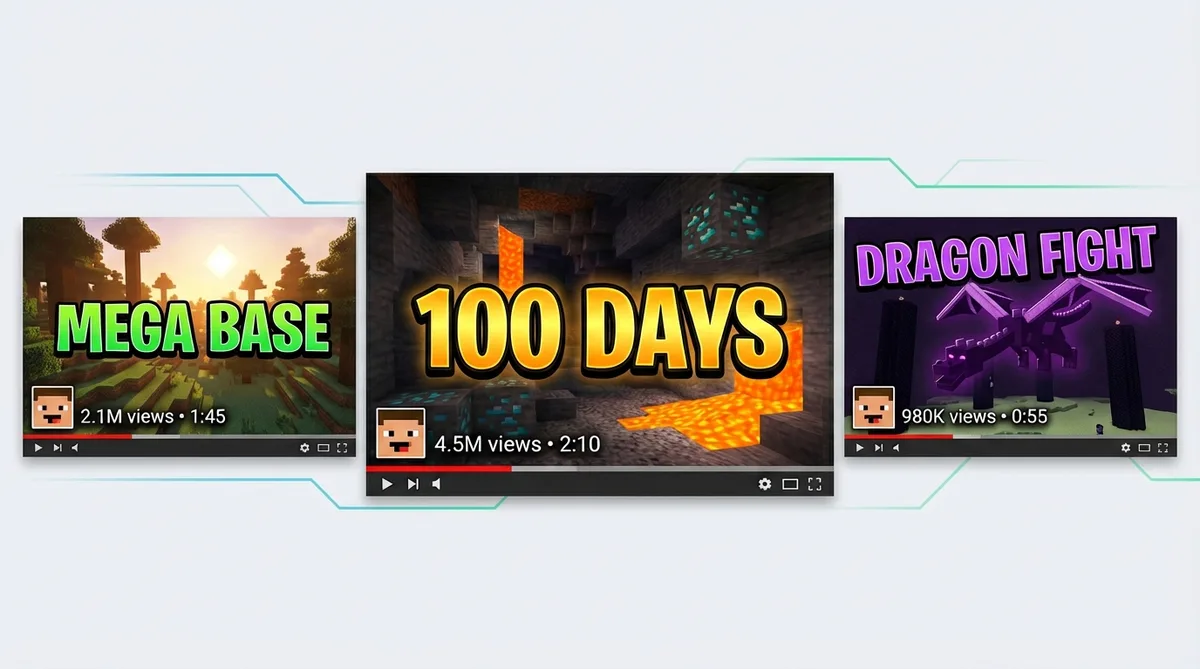
Minecraft thumbnails feature detailed builds and landscapes that can swallow thin text. Thumbmagic's text editor produces thick, outlined lettering with drop shadows - visible over busy survival bases and shader-lit terrain, even on mobile.
Replicate thumbnails from top Minecraft channels
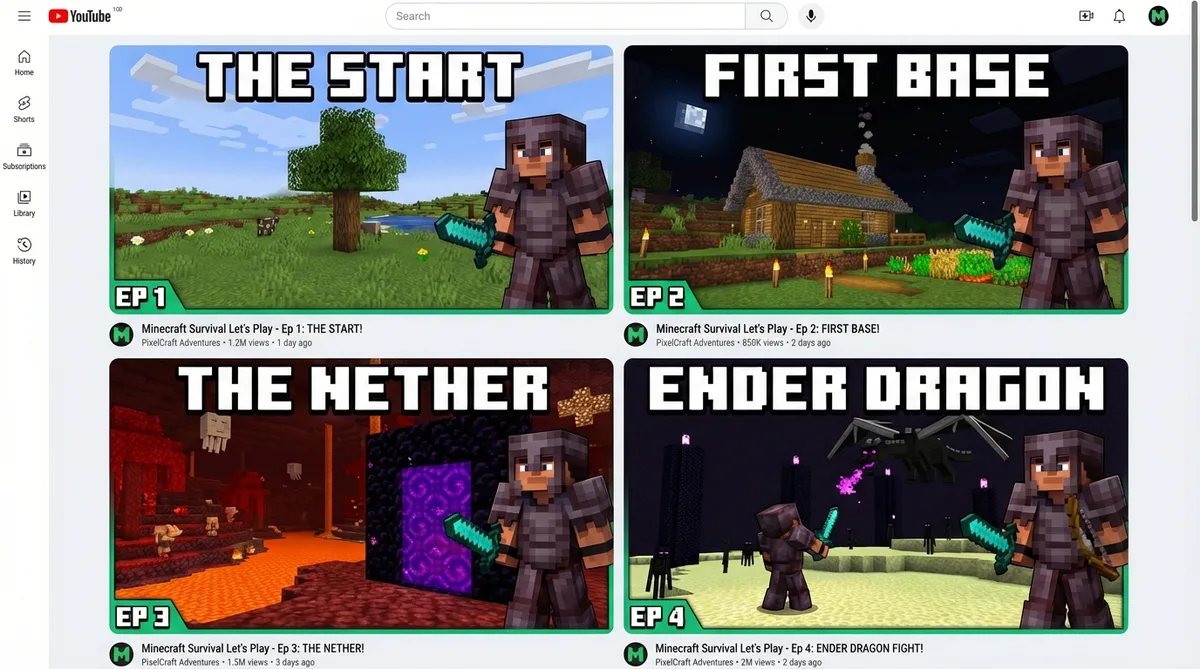
Study what fWhip, SB737, or Mumbo Jumbo do with their thumbnails, then apply that layout to your content. Feed any thumbnail URL into Thumbmagic and clone the composition with your avatar and text.
Use the Digital Illustration filter
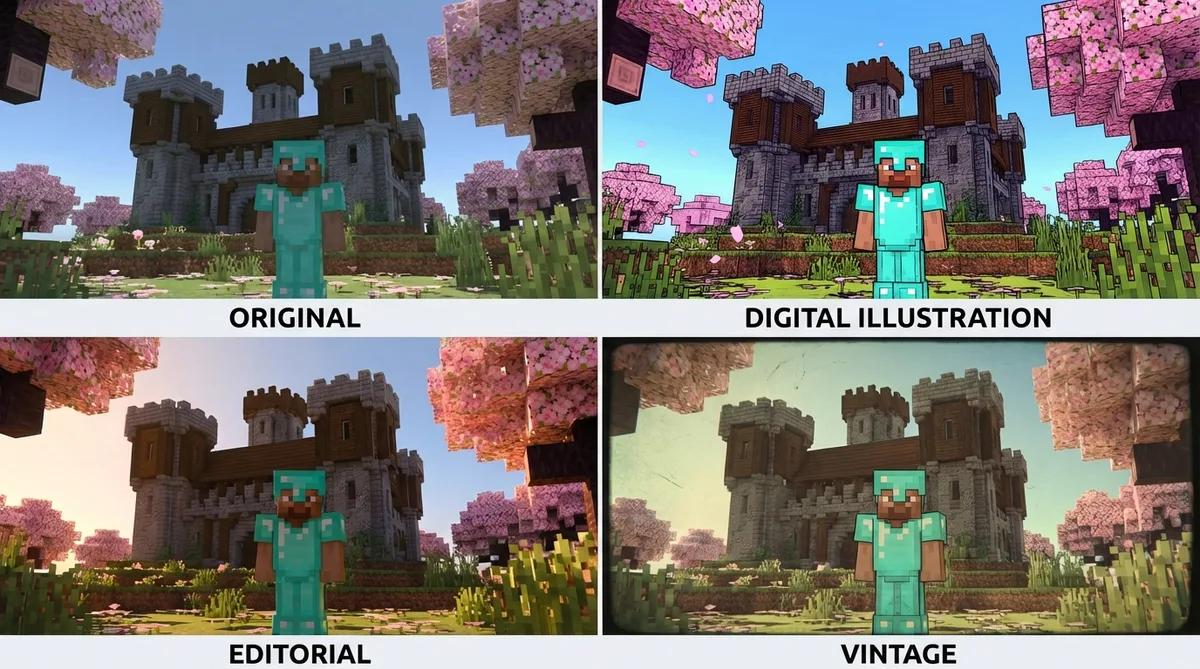
The Digital Illustration filter gives your thumbnails a stylized look that matches Minecraft's visual identity. Six filters total, each processed in about 20 seconds.
Generate vertical thumbnails for Shorts
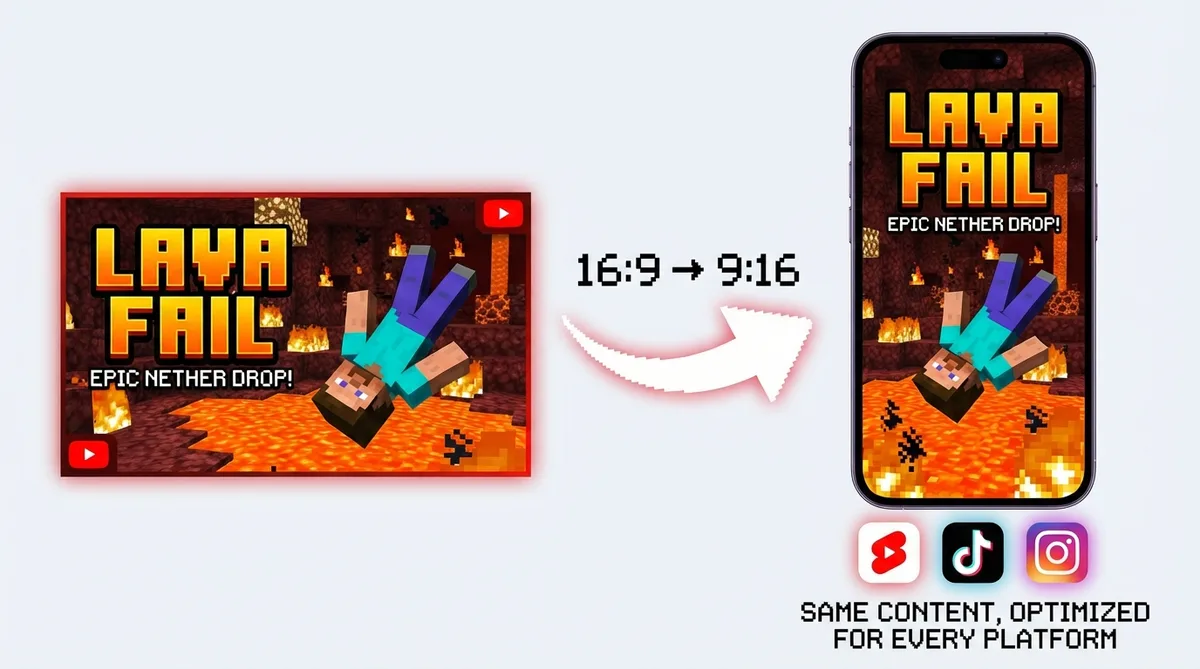
Minecraft clips perform well in short-form. Switch to 9:16 templates for YouTube Shorts, TikTok, and Instagram Reels. One video-to-thumbnail workflow for every platform.
How it works
How the Minecraft thumbnail maker works
Add a URL, customize, and export at full resolution.

Upload your Minecraft video
Add your survival episode, build timelapse, SMP highlight, or hardcore run (MP4, MOV, AVI, WEBM up to 5GB). YouTube links work too.

Thumbmagic finds the thumbnail moment
The tool scans your Minecraft gameplay and selects the most compelling frame - a finished build, a creeper ambush, a diamond vein discovery. Two thumbnail variants generate in about 45 seconds. No text prompts. No separate skin render.

Style it for the Minecraft look
Apply the Digital Illustration filter for that stylized pixel-art aesthetic. Swap your avatar expression to Shocked for a creeper explosion or Excited for a rare find. Add bold text and export at 1280x720.
USE CASES
Built for every Minecraft content type
Minecraft spans multiple subgenres, each with distinct thumbnail styles.
Survival and hardcore
Daily survival episodes, hardcore world tours, and death-run compilations. Thumbmagic generates thumbnails from your base builds, mob encounters, and dramatic moments without a Blender render.
Creative builds
Mega-base timelapses, architectural showcases, and world tours. The tool captures your finished build at its best angle directly from your recording footage.
SMP and multiplayer
Server events, faction wars, and collaborative builds. Thumbmagic works from your multiplayer footage to create thumbnails that show the action and social energy of your SMP content.
Redstone and tutorials
Farm tutorials, contraption walkthroughs, and technical breakdowns. Generate clear thumbnails that highlight the redstone build and signal educational value to viewers.
Challenges and speedruns
100 days, speedrun attempts, and challenge completions. Thumbmagic identifies the high-energy moments from your gameplay and generates thumbnails that communicate the challenge stakes.
Frequently asked questions
What is the best free Minecraft thumbnail maker?

Thumbmagic generates complete Minecraft thumbnails from your video URL - no separate skin render step. Three free generations to test the full workflow. No credit card, no watermark.
How do I make Minecraft thumbnails without Blender?
Skip the MCPrep import, Blender pose, and Photoshop composite. Add your Minecraft video URL and Thumbmagic builds a finished thumbnail from your survival, build, or SMP footage in about 45 seconds.
What size should Minecraft thumbnails be?
YouTube recommends 1280x720 pixels with a 16:9 aspect ratio, under 2MB, in JPG or PNG format. Thumbmagic exports at this resolution automatically.
Do I need to render my Minecraft skin for thumbnails?
Not with Thumbmagic. It generates thumbnails directly from your gameplay video. No importing skins into Blender or MCRender.
Can AI make Minecraft thumbnails?
Yes. Thumbmagic works from your Minecraft video and generates thumbnails for survival series, creative builds, SMP content, redstone tutorials, and any other content type.
How do I make thumbnails for my Minecraft survival series?
Feed each episode URL into Thumbmagic. For a consistent series look, replicate one thumbnail and swap the gameplay screenshot per episode. Your build progression stays visually cohesive across dozens of uploads.
Skip the render pipeline
Minecraft creators spend more time on thumbnails than creators in any other gaming niche. Start with 3 free generations and see what your Minecraft thumbnails look like without the render pipeline.
+50% average CTR increase
2× faster production speed
90% reduction in design cost
