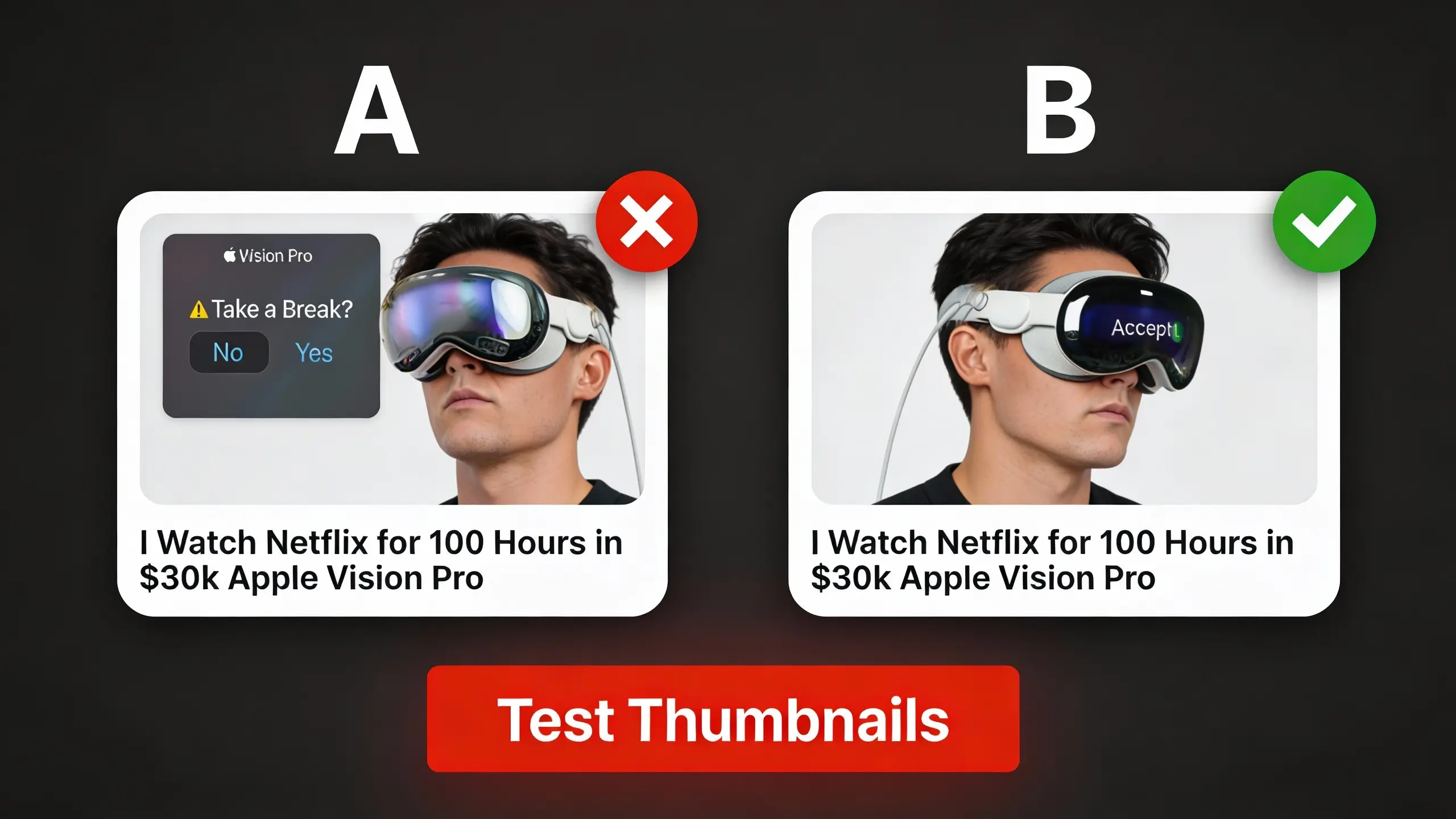
YouTube Studio's "A/B test titles & thumbnails" feature (also known as Thumbnail Test & Compare / A/B Testing in Studio) lets you test up to three thumbnail variations simultaneously. YouTube picks the winner based on watch time share - not clicks alone - and typically needs 1-2 weeks and thousands of impressions to declare a result.
Common mistakes include stopping too early, testing variations that are too similar, or misreading "Inconclusive" as failure. This guide covers the statistics, setup process, and result interpretation you need to run valid tests and make data-driven thumbnail decisions.
TL;DR:
- What it is: YouTube's A/B test feature shows different thumbnails to different viewers simultaneously
- Setup: Test up to 3 variations per video (enable advanced features in Studio first)
- Duration: 1-2 weeks depending on impression volume—don't stop early
- Bottom line: YouTube picks winners based on watch time share, not clicks alone
Quick steps to run your first A/B test
- Enable advanced features in YouTube Studio to access A/B testing
- Select your video (new upload or existing) and click "A/B Testing" under Title or Thumbnail
- Upload 2-3 variations at 1280×720 pixels or higher (keeps resolution above 720p to avoid downscaling)
- Let YouTube distribute traffic automatically across variations
- Wait for results without stopping early
- Check winner designation in Analytics → Reach tab when test concludes
- Apply insights to future thumbnails based on what drove the winning result
How YouTube picks the winner
YouTube chooses the winner by watch time share, not CTR.
Quick example: If Thumbnail A gets 1,000 views averaging 3 minutes (3,000 min total) and Thumbnail B gets 800 views averaging 5 minutes (4,000 min total), Thumbnail B wins despite fewer clicks. YouTube rewards thumbnails that attract viewers who actually watch.
The case for data-driven thumbnail design
Testing thumbnails reveals which designs drive higher click-through rate and watch time. One creator reported an underperforming video gained traction after a thumbnail swap source. This focus on watch time share reduces clickbait's effectiveness - misleading thumbnails generate clicks but lose in testing due to poor retention.
How YouTube's "A/B test titles & thumbnails" feature works
YouTube runs true concurrent A/B/C tests where all variations appear simultaneously to different viewers. Up to 3 different titles and thumbnails can be tested per video.
Eligibility requirements and feature access
You must enable advanced features to access A/B testing. This feature is only available on desktop through YouTube Studio.
Format restrictions apply. You cannot A/B test Shorts, Scheduled Lives, or Premiere videos until the Premiere ends. The feature also excludes videos made for kids, mature audiences, or private videos. YouTube documented the complete eligibility list.
Troubleshooting: I don't see the A/B Testing option
If you don't see the A/B Testing option in YouTube Studio:
- Check your device: A/B testing is only available on desktop computers, not the mobile app
- Enable advanced features: Go to YouTube Studio → Settings → Channel → Feature eligibility → Advanced features
- Verify video eligibility: You cannot test Shorts, scheduled live streams, Premieres (until ended), videos made for kids, mature content, or private videos
- Wait for rollout: YouTube may be gradually rolling out the feature to channels
If you meet all requirements but still don't see the option, the feature isn't available for your channel or region yet.
Step-by-step A/B test setup process
- Sign in to YouTube Studio and select your video (new upload or existing from Content menu)
- In the Title box or under Thumbnail, click A/B Testing
- Select whether to test Title only, Thumbnail only, or Title and thumbnail
- Upload up to 3 thumbnails at 1280×720 pixels (minimum 640px width), 16:9 aspect ratio, in JPG, PNG, or GIF format, keeping file size under 2MB
Important: If you change a video's title or thumbnail during the test, the test automatically stops. You'll need to restart the A/B test.
Resolution warning: If any variant is under 1280×720, all experiment thumbnails may be downscaled to 480p (854×480). Always upload at 1280×720 or higher.
YouTube handles traffic distribution automatically. To review or stop a running test, go to Analytics → Reach tab → "Manage test". When testing concludes, the winning option applies to all future viewers.
Bottom line: YouTube handles the statistical complexity - you upload variations and wait for results.
What to test: Variables that matter
Identify variables that create meaningful differences between options. Test design choices worth the production effort required for multiple thumbnails.
High-impact variables worth testing first
Face size and positioning influences where viewers look. Faces draw focus, and changing face prominence changes what viewers notice first.
Text placement and readability varies across devices. Mobile screens display text at much smaller sizes than desktop monitors, affecting legibility.
Color schemes and contrast influence attention by standing out visually. Objects that contrast with their surroundings draw the eye. Thumbnails with colors that pop against typical YouTube feeds tend to get more clicks. For foundational design guidance, see our thumbnail design principles.
Background complexity competes with primary elements for viewer attention. Minimal backgrounds emphasize faces and text. Detailed backgrounds provide context but may distract.
Emotional expression communicates content mood through facial cues. A surprised face signals entertainment; a focused expression signals tutorial content.
The composition principle for thumbnail design
Thumbnail components interact - a large face works until text competes for attention. Testing should evaluate these interactions, not just whether elements are present. For example, test "big face + no text" against "smaller face + headline" rather than just "face vs no face."
Sample size requirements for statistical significance
Sample size determines whether your test results reflect true differences or random chance.
Sample size determines test validity
As impressions accumulate, early audience-mix effects wash out and YouTube calculates whether differences are statistically significant. Distinct variations need fewer impressions to detect; subtle variations need more.
Impression requirements for reliable results
YouTube explicitly states that "not enough impressions" is a primary cause of inconclusive results. YouTube tests at the impression level, not the view level - a video can get 1,000 views but generate 50,000 impressions. The impression count determines statistical power.
Testing similar variations requires more impressions to detect differences than testing distinct variations. Even with sufficient impressions, similar-performing thumbnails may show "Performed Same."
To maximize your chances of conclusive results, test videos with existing traffic and let the test run to completion without peeking or restarts. Use CTR and retention as diagnostic metrics after the fact, not as stop/go criteria.
Impression requirements: a practical rule of thumb
| Baseline CTR | Variant CTR | Absolute lift | Rough impressions per variant (95% confidence, 80% power) |
| 4.0% | 6.0% | +2.0 pp | ~1,900 |
| 4.0% | 5.0% | +1.0 pp | ~6,700 |
| 4.0% | 4.5% | +0.5 pp | ~25,500 |
- If your variants are subtle, expect tens of thousands of impressions per variant.
- If your variants are visually distinct, you can often get directionality with a few thousand.
- If YouTube returns Performed Same, that's a valid outcome - your change didn't move behavior meaningfully.
Note: This table uses CTR-based approximations for planning purposes. YouTube's actual winner selection uses watch time share, not CTR.
Test duration: How long to run tests
YouTube states tests "should be completed within two weeks," though actual duration varies from a few days to two weeks depending on impression volume.
Duration guidelines by impression volume
- High volume (10,000+ impressions/day): Tests complete in a few days
- Moderate volume (1,000-10,000 impressions/day): Typically 7-10 days
- Low volume (under 1,000 impressions/day): May need the full two weeks
When to stop early vs keep running
Let YouTube conclude the test. Early stopping based on preliminary results (sometimes called "peeking") leads to false conclusions because early leads often regress as more data accumulates.
If you're using third-party sequential testing tools that require manual stopping decisions, pre-define your test duration before starting. Don't decide to stop based on looking at current results.
Design test variations that produce clear winners
Hypothesis-driven testing methodology
Write down your hypothesis before building variations: "Will enlarging the face increase qualified clicks?" or "Does text improve content clarity for the right audience?" Each test should isolate one variable. This prevents retrofitting explanations to match results.
Multiple simultaneous changes create interpretation problems. Modifying face size, text content, and color scheme together prevents identifying which change influenced performance.
Control vs variation best practices
Your existing thumbnail serves as the control. Variations change specific elements from this baseline. Make variations distinct enough that viewers notice the difference at thumbnail size.
Common design mistakes that invalidate tests
Variations too similar: Nearly identical designs can't reveal viewer preferences. Changes must be immediately noticeable.
Variations too different: Changing every element simultaneously obscures which specific changes drove performance. You learn "B performed better" without understanding why.
Poor control selection: Testing a deliberately weak control against a strong variation doesn't reveal whether the variation is good. It only shows that it beats the weak option.
Bottom line: Isolate one variable per test with distinctly different variations to learn what actually drives performance.
Preview and validate thumbnails before testing
Preview catches problems tests cannot detect
Text that reads clearly in design software may be illegible on mobile. Colors that pop on desktop may blend together on phone screens. These issues waste test cycles if not caught beforehand.
Previewing also reveals how thumbnails appear in different contexts. YouTube shows thumbnails in search results, suggested videos, and subscription feeds. Size and cropping vary across these placements.
Preview methods across devices and surfaces
YouTube Studio native preview shows how thumbnails appear in the upload interface. This preview uses desktop dimensions and lighting.
Mobile device preview requires viewing on an actual phone. YouTube displays thumbnails differently on mobile: smaller size, different aspect ratios in some feeds.
Thumbnail preview tools simulate how thumbnails appear across different YouTube surfaces. Preview across mobile, desktop, and TV before uploading to catch device-specific issues.
TubeBuddy preview features show thumbnails in various YouTube contexts. The tool highlights how thumbnails compete with others in search results. Since mobile represents a significant share of YouTube traffic, preview on your actual phone at realistic feed sizes - simple, high-contrast designs generally outperform complex alternatives on small screens.
Read your results: Interpret test data
Understand A/B test metrics and outcomes
Winner selection identifies which thumbnail generated the highest watch time share.
CTR data offers supplementary information. High clicks with low watch time indicates misleading thumbnails. Moderate clicks with high watch time signals accurate content representation. For context on what CTR numbers actually mean, see our YouTube thumbnail CTR benchmarks.
Three outcome categories exist: Winner (clear watch time leader), Performed Same (no meaningful difference), or Inconclusive (inadequate data). If results are inconclusive, YouTube defaults to the first title and thumbnail you uploaded.
When results are inconclusive or ambiguous
Don't interpret narrow splits as meaningful differences until YouTube declares a winner. A 5.1% vs 4.9% CTR gap means nothing without statistical confidence. If YouTube hasn't labeled a "Winner," the data doesn't support a conclusion yet.
What to do: Let the test run longer, or accept that your variations may genuinely perform the same. Both outcomes provide useful information for future tests.
Statistical significance indicators from YouTube
- "Winner" means differences exceed random variance thresholds
- "Performed Same" means high confidence that no meaningful difference exists - this is valid information
- No label yet means results are unreliable; additional impressions may shift the leader
Why results can differ over time
The same video tested at different times can produce different results. Your audience mix on weekdays differs from weekends, seasonal traffic patterns vary, and random chance means early leads sometimes reverse. Don't assume a past winner will always win.
Common testing pitfalls that waste impressions
Best practice: Test older videos first
YouTube recommends testing older videos first to reduce impact on your channel's overall views. Some versions may perform better than others, so testing established videos minimizes risk while you learn what works for your audience.
Testing mistakes to avoid during experiments
Stopping early creates unreliable conclusions. Early traffic frequently differs from sustained patterns.
Misinterpreting fluctuations as meaningful trends triggers premature action. CTR naturally varies by hour and day. Wait for sustained patterns instead of reacting to temporary swings.
Ignoring segments conceals valuable insights. Thumbnails may excel with subscribers while underperforming with new viewers. YouTube's aggregate reporting doesn't expose these patterns.
Testing during unusual traffic introduces bias. Launching tests during viral events means results reflect abnormal patterns instead of typical performance.
Using weak controls invalidates comparisons. Testing poor legacy thumbnails against new designs doesn't assess new design quality - it only shows the new version beats a weak baseline.
False positives and regression to mean
Random variation sometimes generates apparent winners that fail to replicate. Sufficient impressions reduce false positives. Treat early patterns as directional until YouTube declares a Winner.
Tip: Avoid launching tests during viral traffic spikes, and resist checking preliminary results.
Test strategies for small channels with limited impressions
Minimum channel size for reliable tests
Small sample sizes limit what differences tests can detect reliably. YouTube doesn't publish minimum thresholds, but the impression requirements table above provides guidance: detecting a 2 percentage point CTR lift requires roughly 2,000 impressions per variant. Detecting smaller differences requires proportionally more.
Practical threshold: If your video generates fewer than 1,000 impressions per week, A/B testing will return "Inconclusive." Focus on preview validation and best practices until traffic grows.
The variation creation barrier for solo creators
Many creators face a practical obstacle: "I struggle to make one thumbnail. There's no way I'm making two!" source. The cost and effort of creating multiple high-quality variations prevents testing before it starts.
AI thumbnail generators can reduce this barrier by creating multiple variations quickly from a single input.
Alternative methods for small channels
Preview tools provide quick validation without statistical testing. Tools show how thumbnails appear across YouTube surfaces and devices. This catches obvious problems before publishing.
Peer feedback from other creators offers qualitative input. Post thumbnail options in creator communities and ask which grabs attention. This isn't rigorous testing but provides directional guidance.
Focus on established best practices until channel growth supports testing. Use faces, clear text, high contrast, and simple backgrounds. Our YouTube thumbnail tips guide covers these fundamentals.
Wait for sufficient traffic before investing heavily in testing. As your channel grows and impression volume increases, testing becomes viable.
Third-party testing tools and how they compare
Multiple tools provide thumbnail testing beyond YouTube's native A/B testing.
Available tools and feature comparison
| Tool | Type | Key Feature |
| ThumbnailTest.com | Sequential rotation | Performance tracking |
| TubeBuddy | Browser extension | Integrated A/B testing + analytics |
| Thumblytics.com | Preview | Free YouTube context preview |
| TestMyThumbnails.com | Preview | Side-by-side comparison |
YouTube native versus third-party testing tools
YouTube's concurrent testing eliminates time-based bias from shifting traffic patterns. Third-party tools provide features YouTube doesn't offer (hourly rotation, extended previews), but most use sequential testing that introduces bias from traffic pattern shifts.
Frequently asked questions
When should I A/B test thumbnails?
When your videos generate 1,000+ impressions per week. Below that, tests return "Inconclusive."
How long does a test take?
1-2 weeks depending on traffic. High-volume videos (10,000+ impressions/day) finish in days.
What's the difference between CTR and watch time share?
CTR measures clicks. Watch time share measures total viewing time. YouTube picks winners by watch time share - a thumbnail with fewer clicks but longer sessions beats one with more clicks but quick bounces.
Can I test old videos?
Yes, and YouTube recommends starting there. Testing older videos reduces risk while you learn what works.
What does "Performed Same" mean?
Your variations genuinely performed equally. This is valid information, not a failed test.
What does "Inconclusive" mean?
Not enough impressions to determine a winner. YouTube defaults to your first-uploaded thumbnail.
Does testing hurt my video's performance?
No. YouTube's A/B testing doesn't penalize participating videos.
My channel is too small for testing. What should I do?
Use preview tools, follow best practices (faces, clear text, high contrast), and get peer feedback until traffic grows.
Updated for YouTube Studio A/B Testing as of January 2026.