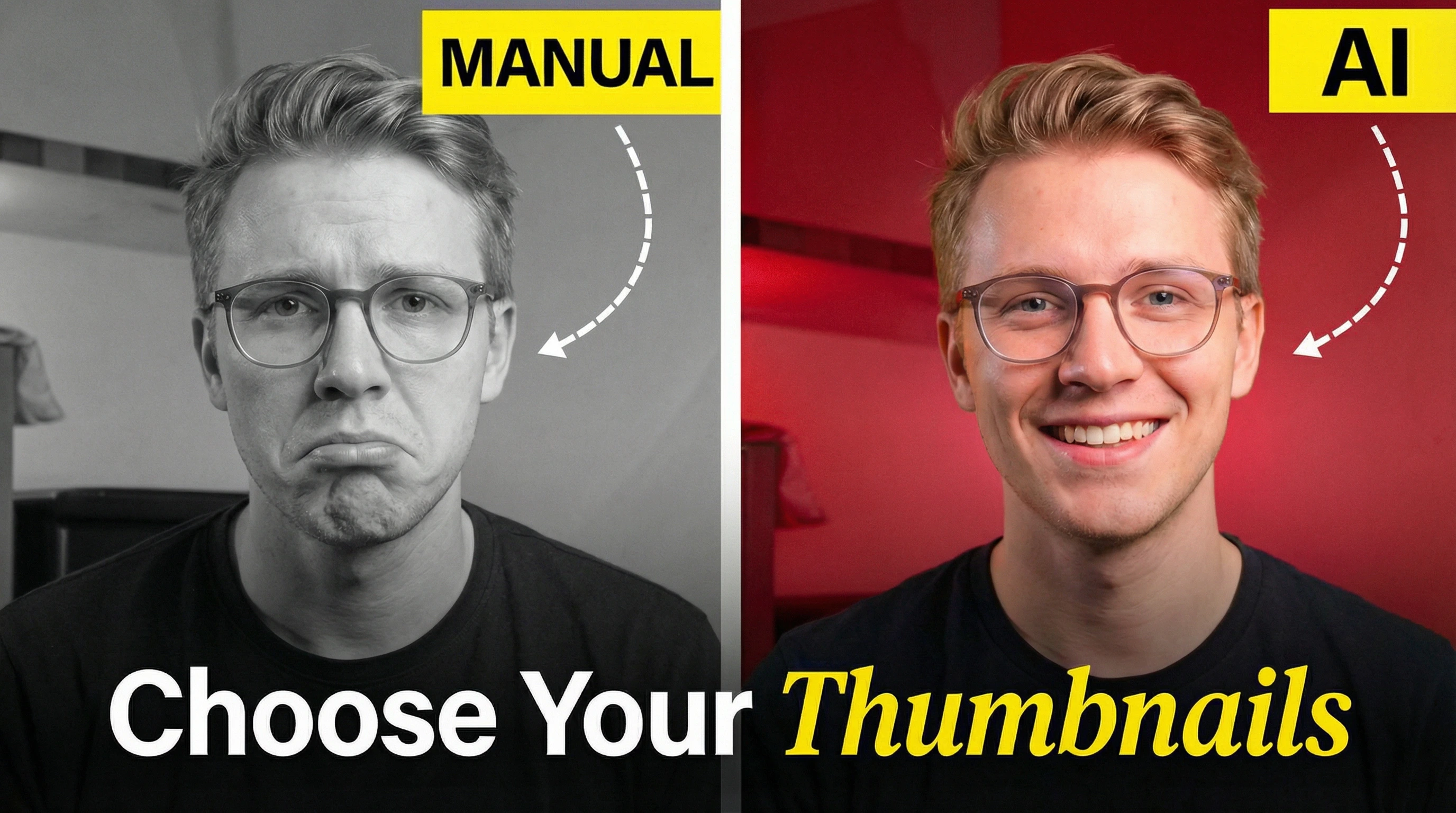
Your thumbnail creation method directly affects how quickly you can publish videos, maintain visual consistency across your channel, and control production costs per upload. Choosing the wrong approach creates bottlenecks that delay uploads by hours or days, produces generic designs that reduce click-through rates and limit channel growth, or leads to budget overruns that make consistent content production unsustainable over time. This guide compares AI thumbnail generators with manual design workflows, examines hybrid approaches that combine both methods, and provides a practical decision framework to help you choose the optimal creation method based on your packaging maturity, upload frequency, and budget constraints.
TL;DR:
- AI wins on: Speed (8-12 min vs 2-3 hours), cost (free–$30/mo vs $20–$200/thumbnail)
- Manual wins on: Brand consistency, creative freedom, unique style development
- Hybrid wins on: Speed + control—AI generates options, you refine what works
- Bottom line: Your upload frequency and budget matter more than subscriber count
Want the full story? Read on.
Quick rules:
- If you upload 3–6 videos/week → Hybrid approach
- If you upload 7+ videos/week → AI-first (optionally refine in a hybrid workflow)
- If thumbnails must match strict brand guidelines → Manual or strict hybrid
- If thumbnails are blocking your uploads → AI now, refine later
- If you can't explain your thumbnail concept in one sentence → Redesign it
Why your thumbnail creation method matters
Your thumbnail creation method affects how quickly you can produce videos, your channel's visual consistency, and your cost per upload. Custom thumbnails drive click-through rates, which YouTube's algorithm rewards with more impressions. YouTube notes that 90% of best-performing videos have custom thumbnails. (YouTube Help)
Prerequisites: Account verification required
Before you can upload any custom thumbnail (AI or manual), you must verify your YouTube account. This requirement applies to all creators regardless of channel size or subscriber count.
CTR as channel growth lever
Higher click-through rates signal relevance to YouTube's recommendation system. Videos that attract clicks from search and browse features earn more impressions. Your thumbnail creation method directly affects this metric. Understanding YouTube thumbnail CTR benchmarks helps you evaluate whether your current approach delivers competitive performance.
AI thumbnail generation: How it works
AI thumbnail generators analyze your video content, apply design templates, and produce multiple variations within seconds. You provide a prompt or video link; the tool returns options. Generation takes seconds; end-to-end (prompt → review options → quick edits → export) typically takes 8-12 minutes. The biggest advantage is rapid iteration; the biggest risk is style drift and template sameness.
Speed and efficiency
For creators uploading daily, this speed advantage compounds. Manual creation typically takes 2-3 hours per thumbnail.
Outsourcing can add days of turnaround depending on your editor or designer.
Tool capabilities
Current AI thumbnail generators can:
- Add text overlays with automatic font selection
- Generate background images from prompts
- Apply style filters (dramatic, minimalist, colorful)
- Position face cutouts and design elements
- Export at YouTube's required 1280x720 resolution
These systems improve over time as AI models can be fine-tuned for human preference alignment using large datasets of user choices. Advanced thumbnail generators learn from which designs creators select, gradually matching aesthetic preferences instead of following technical specifications.
Common AI tools
Multiple platforms offer AI thumbnail generation. Canva includes AI features in its design suite. VidIQ focuses on YouTube-specific optimization. AI thumbnail generators vary in template quality and customization depth.
Manual thumbnail design: The traditional approach
Manual thumbnail design means creating every element from scratch using tools like Photoshop, GIMP, or Canva's manual editor. You control every pixel, font choice, and color value.
This approach requires design software proficiency. It takes 40-60 hours to develop thumbnail design skills according to SuperAGI analysis.
Creative control and customization
Manual creation offers unlimited flexibility. You're not constrained by AI training data or template limitations. Your thumbnails can match your exact brand guidelines, including:
- Custom illustration styles
- Specific color palettes
- Unique typography
- Original photography
- Hand-drawn elements
MrBeast's team sketches thumbnails before filming. As shared in an interview: "We sketch out the thumbnails beforehand to see if we like it. I would prefer to have that existential crisis before I filmed the video."
Design tools and software
Manual creators typically use:
- Adobe Creative Cloud ($20.99/month) - Photoshop, Illustrator
- Canva Pro (free tier available) - Browser-based editor
- GIMP (free) - Open-source Photoshop alternative
- Figma (free tier available) - Collaborative design tool
Skill requirements
Effective manual design requires understanding composition and visual hierarchy, color theory for attention capture, typography readability at small sizes, contrast for mobile viewing, and safe zones for YouTube's duration badge placement. Learning these YouTube thumbnail design principles typically takes months of practice and iteration before results consistently match professional standards.
Side-by-side comparison: AI vs manual
Comparison table: Strengths and weaknesses
| Aspect | AI Thumbnail Generator | Manual Thumbnail Design |
|---|
| Time per thumbnail (end-to-end) | 8-12 minutes | 2-3 hours |
| Learning curve | Minimal (text prompts) | 40-60 hours to proficiency |
| Cost | Free–$30/month | $0 (GIMP) to $200/thumbnail |
| Brand consistency | Difficult (style drift) | Full control |
| Iteration speed | Generate 10+ versions instantly | Each version takes hours |
| Creative freedom | Limited by training data | Unlimited |
| Quality ceiling | Platform-dependent | Skill-dependent |
| Best for | Volume uploads, testing ideas | Brand-heavy content, unique styles |
Time investment analysis
For a creator uploading three videos weekly:
- AI approach: 30-36 minutes per week
- Manual approach: 6-9 hours per week
- Time savings: ~5.5–8.5 hours per week with AI (depending on your workflow and skill level)
Time savings scale with upload frequency. Daily uploaders save 40+ hours monthly by using AI tools.
Cost breakdown
Pricing varies significantly:
AI Tools:
- Most platforms: Free tier with watermarks
- Paid plans: $10–$30/month for watermark removal
Manual Creation:
- DIY with GIMP: $0 (time investment only)
- DIY with Adobe CC: $20.99/month subscription
- Outsourcing to designers on Fiverr: $20-200 per thumbnail depending on complexity
Pricing heuristic:
- $0-30/mo: AI subscription for speed + testing
- $50-150/mo: Hybrid + occasional pro help on hero videos
- $200+/mo: Consistent designer support when packaging is revenue-critical
Quality comparison
AI thumbnails can be technically correct but aesthetically unappealing. Judge them by click-worthiness, not resolution. A thumbnail can include all requested elements and still fail to attract clicks.
According to a YouGenie survey, 62% of viewers can distinguish AI thumbnails from manual designs. Of those, 45% preferred manual thumbnails.
Quality depends on both tool capability and creator skill in prompting or designing.
The hybrid approach
Combining AI generation with manual refinement produces better results than either method alone. How you use AI tools matters more than which tool you pick. AI should speed up your process, not replace your judgment.
Workflow: AI generation + manual refinement
A hybrid workflow looks like this:
- Generate 5-10 AI thumbnail variations
- Select the strongest concept
- Export and open in manual editor
- Refine text for readability
- Adjust colors for brand alignment
- Add custom elements (logo, specific graphics)
- Test on mobile preview
60-second refinement checklist:
- Readability: Can you read the main text at 10% zoom?
- Face priority: Face occupies 20-35% of frame (if using a face)
- Contrast: Subject pops against background (no mid-gray on mid-gray)
- Safe zones: Nothing important in bottom-right (timestamp area)
- Mobile preview: Screenshot it small; if unclear, simplify
This process takes 15-30 minutes compared to 2+ hours for fully manual creation.
Thumbmagic as hybrid solution
Hybrid doesn't require any specific tool - you can generate in an AI tool and refine in Photoshop, Canva, or Figma. Thumbmagic combines both steps in one interface: generate AI thumbnails, then edit directly before export. This eliminates context-switching between AI generators and separate editing software.
AI thumbnails: Policy, ethics, and best practices
YouTube allows AI-generated thumbnails. No disclosure requirement exists for thumbnail creation methods. However, ethical considerations matter for creator reputation.
YouTube's policy on AI content
YouTube's custom thumbnail policy doesn't distinguish between AI and manual creation. Both must:
- Be under 2MB for videos (10MB for podcasts)
- Use JPG, GIF, or PNG format
- Meet 1280×720 resolution (640px minimum width)
- Prefer 16:9 (podcast playlists: 1:1)
- Follow Community Guidelines (your thumbnail can be rejected or lead to strikes if it violates policy)
Note: For vertical videos, a 16:9 custom thumbnail may be replaced by an auto-generated 4:5 thumbnail on Home/Explore/Subscriptions; your custom still appears on watch, history, and non-mobile platforms. (YouTube Help)
Note: In most cases, you can't upload a custom thumbnail for Shorts like long-form videos; you can only choose a frame, and it can't be changed after upload. (YouTube Help)
Copyright and ownership questions
AI-generated thumbnails raise ownership questions. Most AI tools claim users own generated outputs, but underlying training data may include copyrighted images. Manual creation with original photography or illustrations avoids this ambiguity.
Disclosure and transparency
Reddit creator communities expressed strong opinions on disclosure. When hiring designers, specify whether AI use is acceptable. If using AI yourself, decide whether your audience expects disclosure based on your niche and values.
One Reddit comment captured the sentiment: "I think it is disingenuous to be using AI to make art in general and not express that, especially if you are selling it to someone."
Ethical considerations
Creator perspectives vary on AI ethics:
- Cost fairness: Is $200 justified for AI-generated work?
- Viewer preference: Some audiences reject AI aesthetics
- Designer livelihoods: Does AI reduce opportunities for thumbnail artists?
These questions lack universal answers. Your decision should align with your channel's values and audience expectations.
Decision framework: Which method for your channel?
By packaging maturity
Packaging maturity often correlates with subscriber count, but not always. A 500-subscriber channel with clear brand guidelines may need stricter workflows than a 50K channel still experimenting.
Early packaging (still testing what works):
- AI or hybrid approach, prioritize volume and learning loops
- Focus on upload consistency over thumbnail perfection
- Invest time in content quality instead of design skills
- Budget: $0-20/month maximum
Developing packaging (repeatable style emerging):
- Hybrid approach recommended
- Lock 3-5 repeatable elements (font, outline, face crop style, palette)
- Test AI vs manual with Test & Compare
- Budget: $20-100/month depending on upload frequency
Established packaging system (brand constraints are strict):
- Manual or strict hybrid workflow
- Use templates + brand guardrails + review process
- Consider hiring designer if revenue supports it
- Budget: Scale with channel revenue
By upload frequency
- Daily (7+ per week): AI required, manual unsustainable
- Multiple weekly (3-6 per week): Hybrid optimal
- Weekly (1-2 per week): Manual possible but hybrid saves time
- Bi-weekly or monthly: Manual viable for maximum quality
By design skill level
No design experience:
- Start with AI tools
- Learn manual editing over time if interested
- Don't let design block your upload schedule
Basic design skills:
- Hybrid approach maximizes your abilities
- AI handles initial layout, you refine details
Professional designer:
- Manual creation for unique style
- AI for rapid iteration and testing concepts
By content niche
Different niches have different thumbnail requirements:
Gaming:
- High upload frequency (favor AI/hybrid)
- Visual style consistency matters (test AI brand adherence)
- Viewer age skews younger (less AI resistance)
Education/Tutorial:
- Clarity over style (AI templates work well)
- Text readability critical (manual refinement helps)
- Professionalism signals credibility
Vlog/Lifestyle:
- Personality-driven (face-focused works for AI)
- Authenticity valued (viewers may prefer human touch)
- Brand evolution natural (hybrid allows experimentation)
What could go wrong: Risks of each approach
AI Limitations (generic output, brand inconsistency)
AI tools can produce generic thumbnails that blend into search results. Style drift between thumbnails breaks brand cohesion. Reddit creators noted: "AI thumbnails look uncanny and off-putting" when quality is low.
Template repetition creates the most common AI risk where your thumbnails look identical to competitors using the same tools. Style inconsistency compounds this problem as each generation produces different aesthetics, breaking brand cohesion across your channel. Text placement errors occur when AI systems fail to respect YouTube's safe zones for duration badges and other overlays. Finally, prompt interpretation requires practice since getting the exact visual style you want often demands multiple attempts with refined descriptions.
Manual Risks (time sink, skill plateau, cost overruns)
Manual creation can become a bottleneck. Design skills plateau without deliberate study. Hiring designers introduces cost unpredictability.
Perfectionism emerges as the primary manual design pitfall where creators spend 5+ hours refining a single thumbnail, turning design work into a bottleneck that delays video uploads. Skill limitation frustrates many creators whose designs fail to improve despite significant time investment, often because they lack structured learning approaches. Tool costs accumulate through monthly subscriptions that can reach $20-50 monthly for professional software. Outsourcing introduces unpredictability as hired designers may miss deadlines or use undisclosed AI. Design fatigue eventually reduces upload consistency when thumbnail creation becomes a dreaded task instead of an energizing creative step.
Hybrid pitfalls (workflow complexity)
Combining methods can create confusion about which tool handles which step. Poor workflow design negates time savings.
Testing and optimization
Regardless of creation method, test your thumbnails' performance. Learning how to make thumbnails that drive clicks starts with understanding core design principles, then creating high-performing thumbnails requires iteration and data-driven decisions.
YouTube's thumbnail testing feature
YouTube offers a feature to Test & Compare titles & thumbnails. You can test up to 3 thumbnail variations per video. The platform shows each version to different viewers.
Availability depends on having Advanced features enabled (YouTube Help), and it's limited to eligible long-form videos/podcasts on desktop (not "Made for Kids" or age-restricted). (The Verge)
Metrics that matter (watch time share, not CTR)
YouTube determines the Test & Compare winner based on watch time share, not click-through rate. A thumbnail that attracts clicks but leads to quick exits will lose to a thumbnail with fewer clicks but longer watch times.
How to evaluate results
Run Test & Compare for 14 days or until each variant has enough impressions to stabilize. Compare thumbnails across similar video topics to isolate design effectiveness from content differences.
After testing:
- Keep the winner and update your "thumbnail rules" doc with what changed (e.g., "bigger face," "less text," "stronger contrast")
- Only test one variable at a time: face size OR text OR background - not all at once
- If results are inconclusive, YouTube defaults to your first thumbnail (YouTube Help)
FAQ
What is the difference between AI and manual thumbnails?
AI thumbnails are generated by software using text prompts or video analysis. Manual thumbnails are created by humans using design software like Photoshop. The main differences are creation speed (seconds vs hours), cost ($0–$30/month for AI tools vs $0 DIY or ~$20–$200 per thumbnail outsourced), and customization control (template-based vs unlimited).
Do AI thumbnails perform better than manual thumbnails?
Performance depends on execution quality, not creation method. Well-designed AI thumbnails can match manual thumbnails in CTR. However, brand consistency and unique style development often require manual refinement. The hybrid approach typically produces best results.
Is it okay to use AI-generated thumbnails?
Yes, YouTube allows AI-generated thumbnails with no disclosure requirement. The ethical considerations are personal. Decide based on your audience expectations and values. If hiring designers, clarify whether AI use is acceptable upfront.
How do I choose between AI and manual thumbnails?
Consider your upload frequency, budget, and brand requirements. Daily uploaders need AI speed. Channels with strong brand identities need manual control or strict hybrid workflows. Most creators benefit from generating AI options then refining manually.
Can AI thumbnails match the quality of manual design?
AI tools produce technically competent thumbnails but may lack creative uniqueness. According to research on AI image quality, viewer preferences differ from technical metrics. A manually designed thumbnail with authentic creativity often outperforms generic AI output.
Can I combine AI and manual thumbnail creation?
Yes, the hybrid approach is recommended. Generate multiple AI concepts quickly, select the best, then refine manually. This workflow saves time while maintaining quality control and brand consistency.
Do I need to verify my YouTube account to upload custom thumbnails?
Yes, account verification is required before you can upload any custom thumbnail, whether AI-generated or manually created. Verification typically requires a phone number.
Will AI replace thumbnail designers?
Unlikely to fully replace professional designers. AI handles routine thumbnails effectively, but complex brand work, unique illustration styles, and strategic design still require human expertise. The role of designers is shifting toward art direction and refinement instead of pixel-level creation.
Ready to try the hybrid approach? Start with Thumbmagic's free tier to experiment with AI generation and manual refinement.