


Call of Duty thumbnail maker
Link your Warzone or Black Ops video. Get a tactical thumbnail in 45 seconds.
Thumbmagic analyzes your COD footage, extracts key frames, and generates thumbnails built for the dark, high-contrast style that defines Call of Duty content on YouTube.
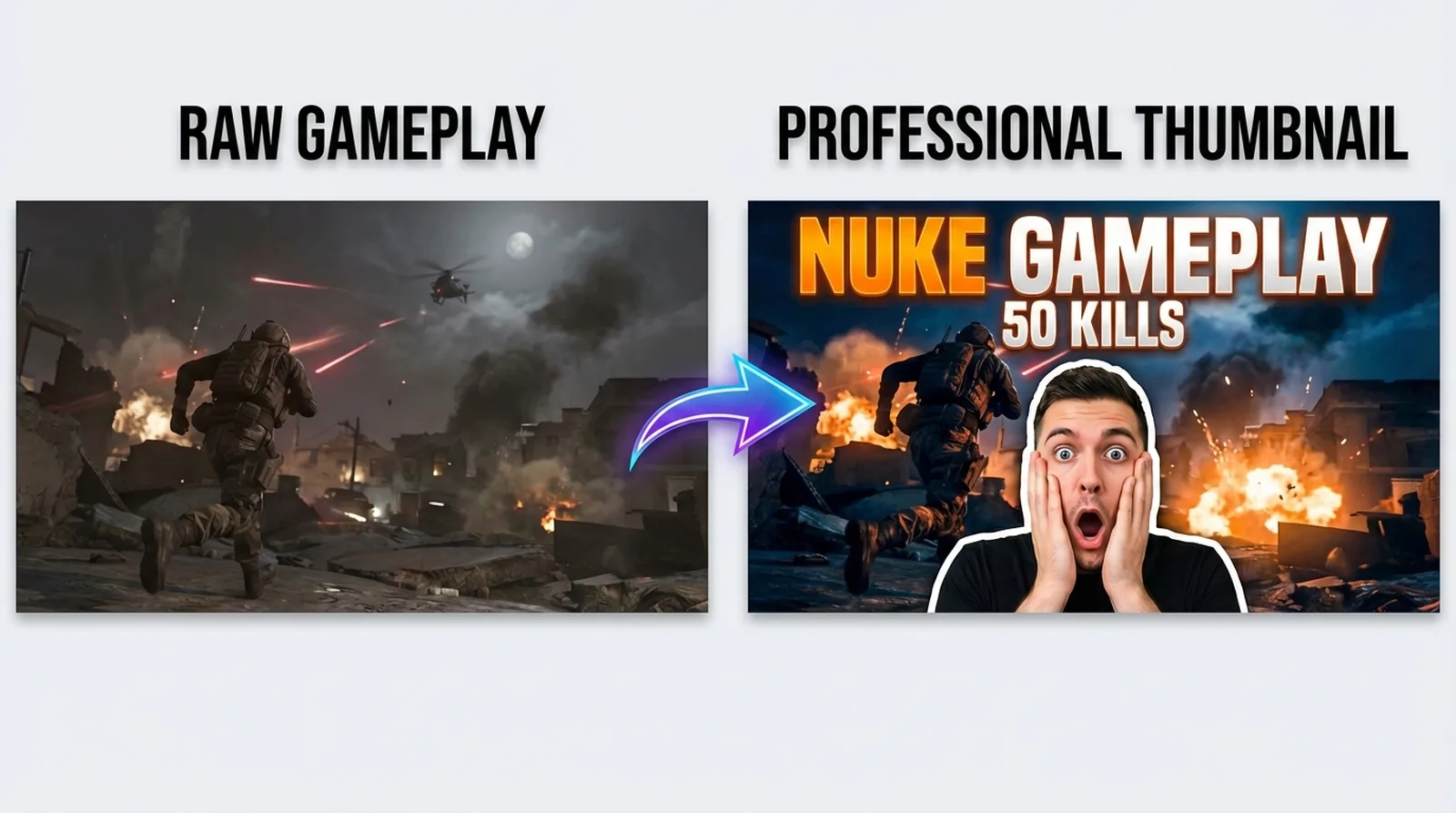



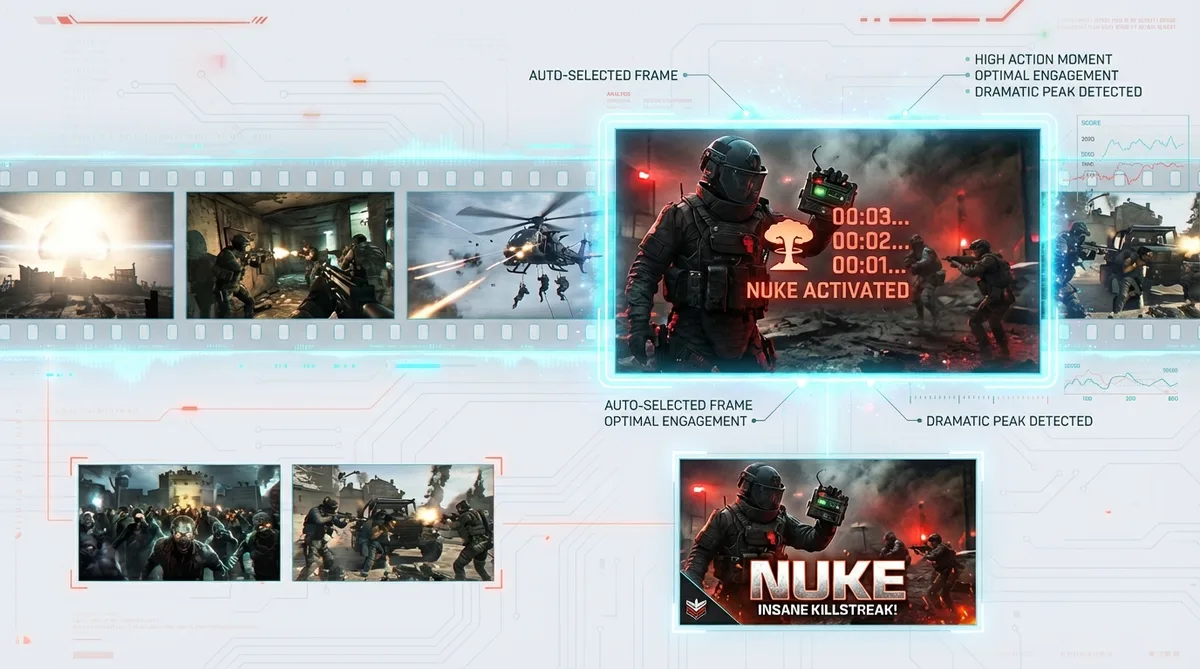
Stop staging screenshots in private lobbies
COD creators upload daily. Loadout guides, nuke gameplays, patch breakdowns, Zombies runs. Each video needs a unique thumbnail. The current workflow costs time most creators don't have - get a friend into a private lobby, screenshot your operator, open Photoshop, mask the character, color grade, add text. That runs 20 to 40 minutes per thumbnail.
Thumbmagic's video-to-thumbnail workflow skips that entire pipeline. Drop your video URL and it generates thumbnails directly from your footage.
Features
Use filters built for the COD aesthetic
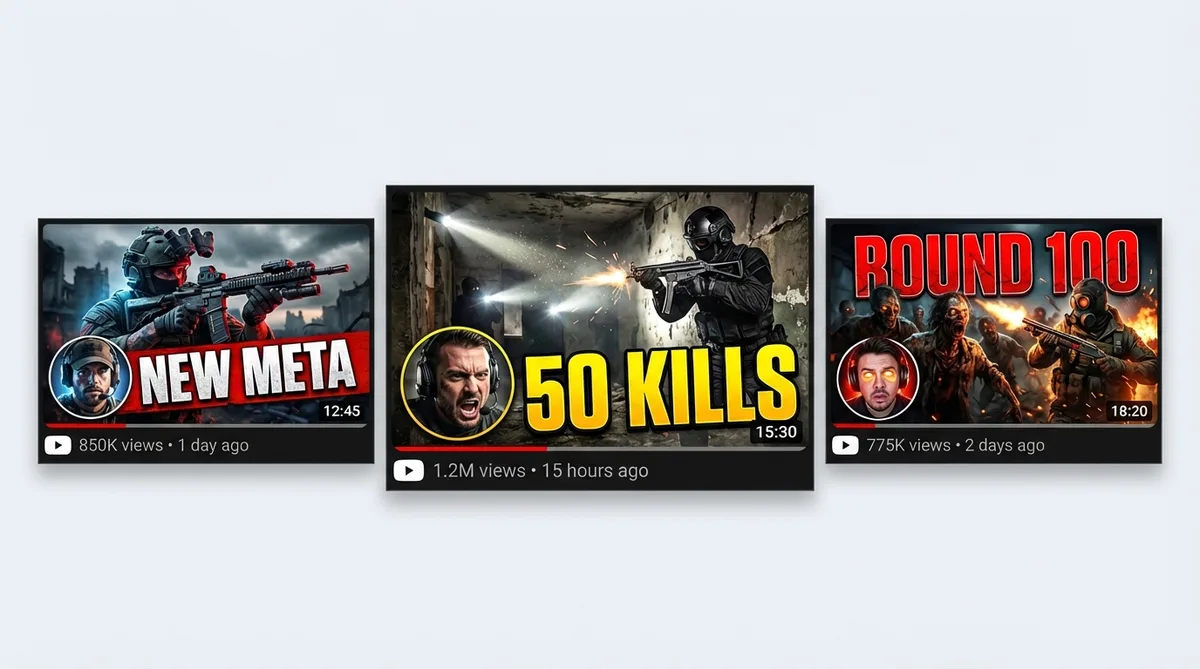
COD thumbnails run dark. Black backgrounds, red and yellow accents, desaturated gameplay with sharp lighting on operators. Generic photo filters break this look.
Generate thumbnails from your COD footage
Video-to-Thumbnail feature works straight from your Warzone, Black Ops, or Zombies recording. No staging screenshots in private lobbies, no text prompts. One URL, one thumbnail.
Apply CCTV and Realism filters for the tactical look
Two filters built for COD content. The CCTV Footage filter adds surveillance-style grain and vignette - the look viewers recognize from in-game cameras and mission briefings. The Realism filter adds cinematic teal-and-orange color grading. Six filters total, each processed in about 20 seconds.
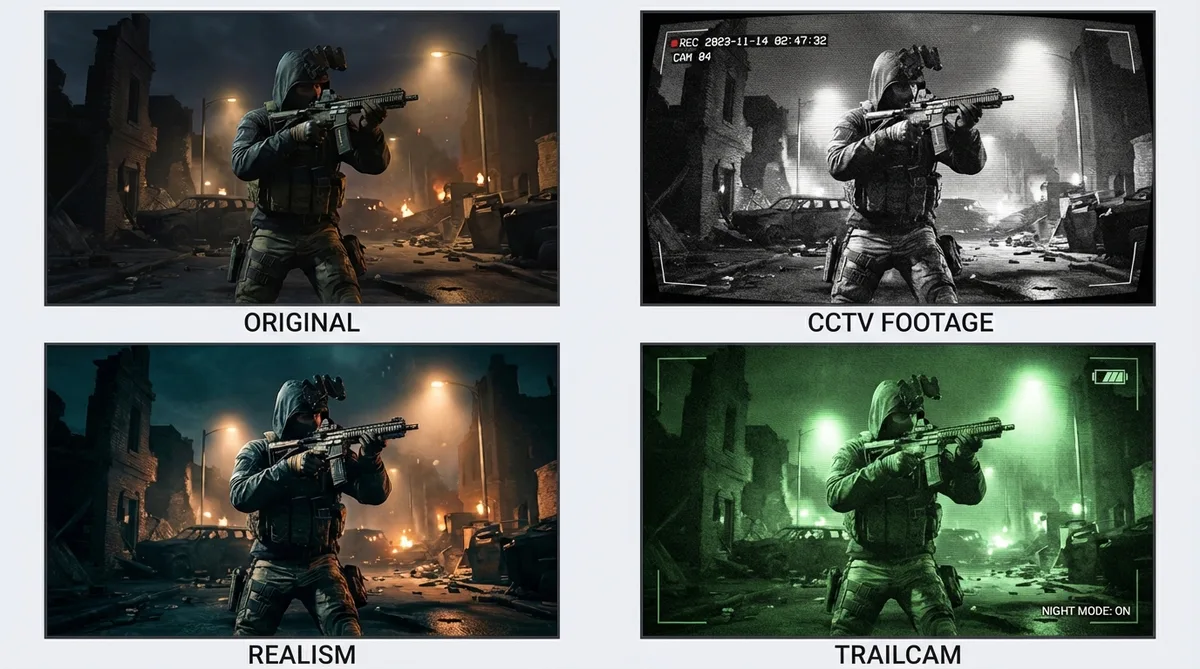
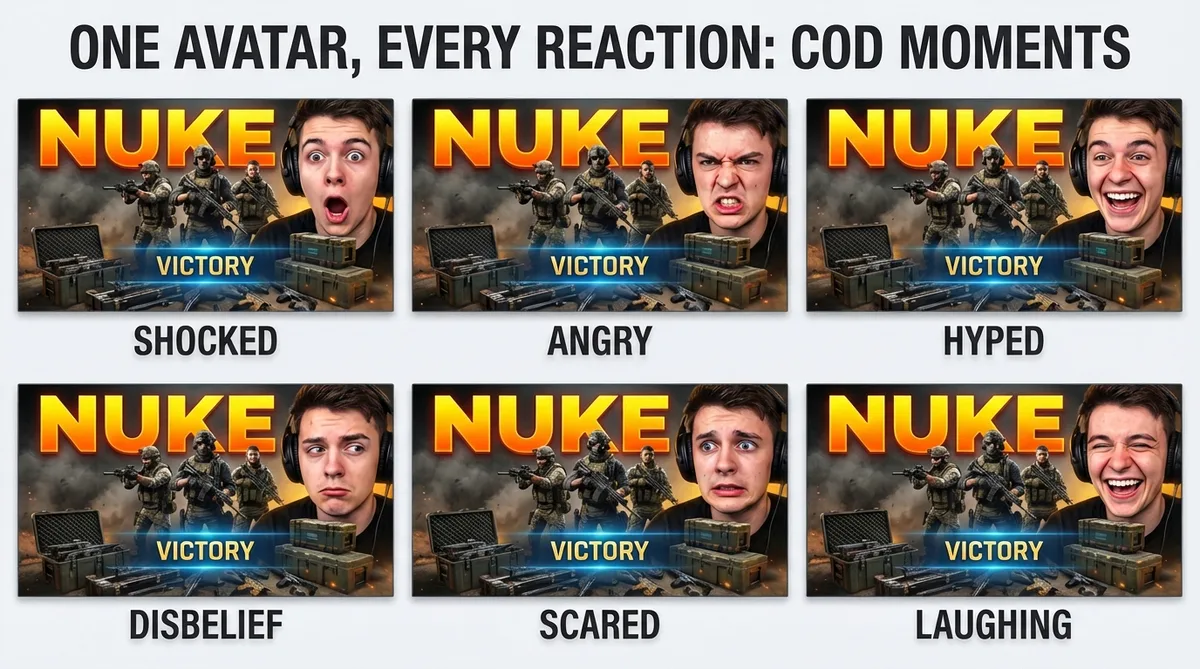
Set expression presets for tactical intensity
COD thumbnails need tension, not smiles. Upload one avatar photo and it covers every intensity your content demands: jaw-drop shock for a nuke gameplay, cold anger for a sweat-lobby rant, or hype for a new meta loadout reveal. No reshooting between uploads.
Add bold text that reads on mobile
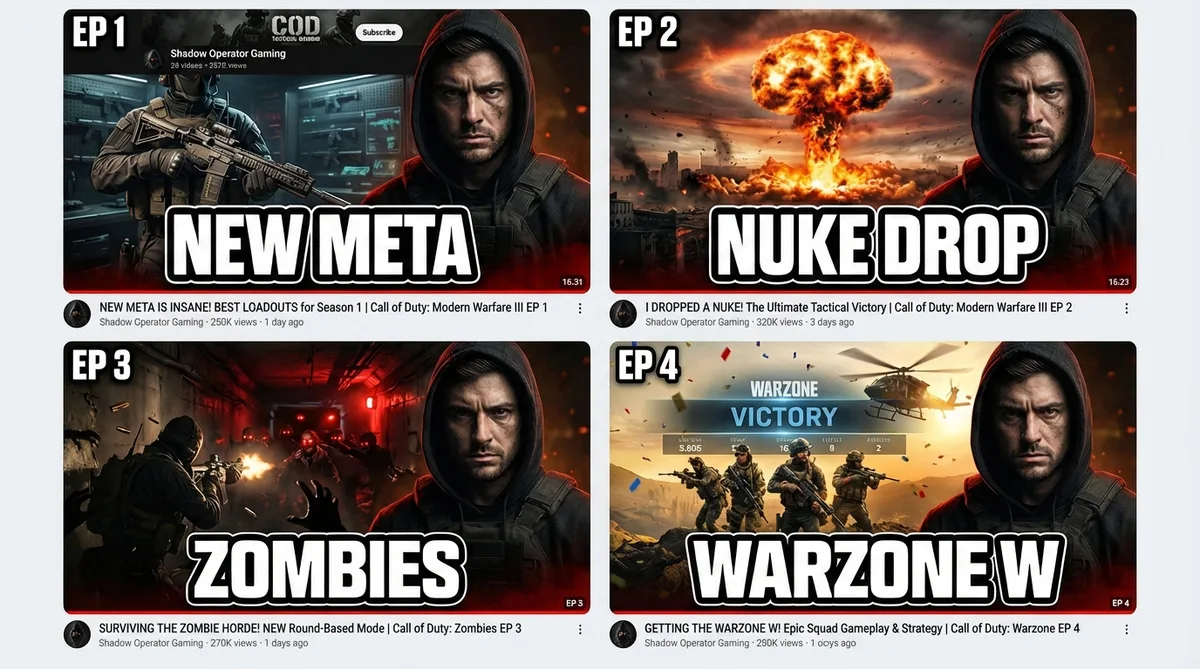
Two to four words maximum. ALL CAPS. 'NEW META', 'NUKE GAMEPLAY', '50 KILLS'. The thumbnail editor defaults to high-contrast fonts with drop shadow, readable at mobile thumbnail size.
Replicate layouts from top COD channels
Study the dark, operator-forward compositions that TimTheTatman or NICKMERCS use. Drop that thumbnail URL into Thumbmagic and it rebuilds the layout with your operator and gameplay. Proven tactical compositions, your footage.
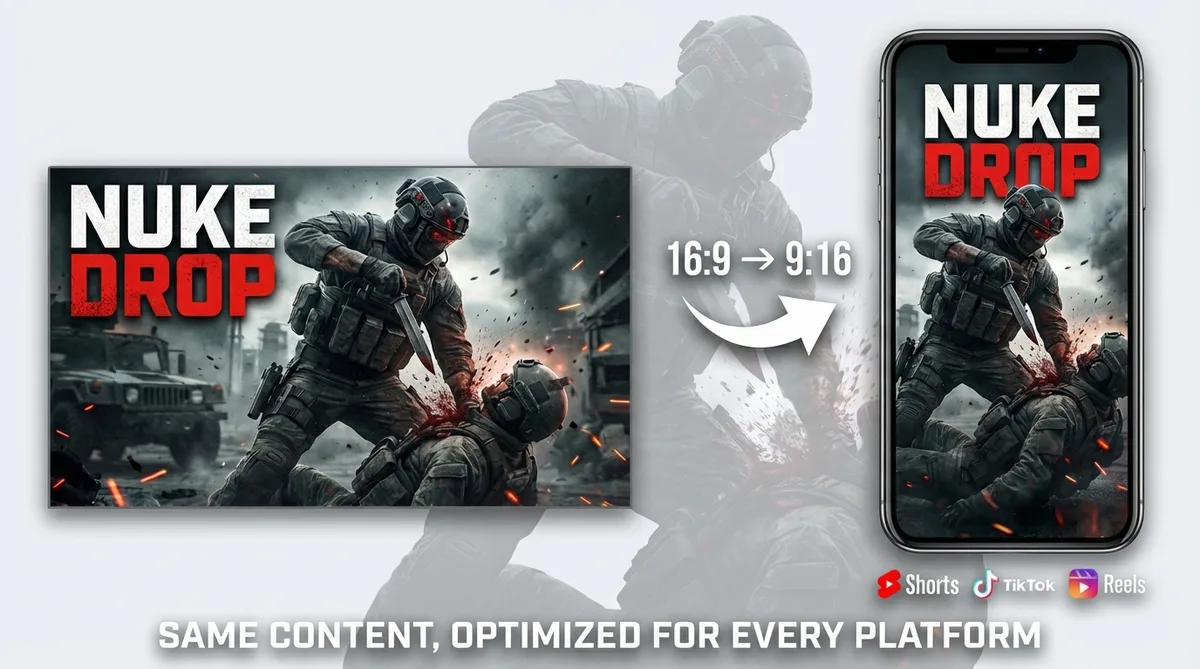
Generate vertical thumbnails for COD Shorts
Warzone clutches, Zombies fails, and nuke gameplays work well as short-form clips. Switch to 9:16 templates for YouTube Shorts, TikTok, and Instagram Reels. One video-to-thumbnail workflow for every platform.
How it works
Make a Call of Duty thumbnail in three steps
No private lobbies. No Photoshop. Just your footage.
Add your COD video
Link your Warzone nuke gameplay, Black Ops 6 ranked match, Zombies run, or DMZ extraction. Upload raw footage if the video is not on YouTube yet (MP4, MOV, AVI, WEBM up to 5GB).

Thumbmagic builds the composition
Your footage drives a dark, high-contrast composition built in about 45 seconds. No private lobby staging. No screenshots to mask in Photoshop.

Dial in the tactical look and export
Set the expression to Shocked for a nuke or Angry for a sweat lobby. Apply the CCTV filter for DMZ stealth or the Realism filter for competitive multiplayer. Add 2-4 words of ALL CAPS text. Export at 1280x720.
USE CASES
Generate thumbnails for any COD title
Thumbmagic works from your video, not a fixed asset library. Any title, any mode.
Warzone
Battle royale highlights, loadout guides, and drop strategies. Generate tactical thumbnails from your Warzone footage with the dark, high-contrast style viewers expect.
Black Ops 6
Multiplayer gameplay, Zombies runs, and campaign reactions. Each mode has a different visual tone - Thumbmagic adapts from your footage.
Modern Warfare
Competitive matches and operator showcases. Generate thumbnails that match the realistic military aesthetic of Modern Warfare content.
DMZ
Extraction gameplay and loot runs. Apply the CCTV filter for the stealth-operation look that defines DMZ content.
COD Mobile
Mobile gameplay thumbnails from your phone recordings. Upload your mobile footage or link your YouTube URL - same quality, any device.
Frequently asked questions
What is the best free Call of Duty thumbnail maker?

Thumbmagic generates dark, tactical COD thumbnails from your Warzone or Black Ops footage. Your first three are free - six thumbnail variants, no credit card required.
How do I make a COD thumbnail without Photoshop?
Skip the private-lobby screenshot and Photoshop masking workflow. Link your COD video URL and Thumbmagic generates compositions from actual gameplay footage. CCTV and Realism filters handle the color grading.
What size should Call of Duty thumbnails be?
YouTube recommends 1280x720 pixels at 16:9 aspect ratio. Thumbmagic exports at this exact resolution.
Can I make thumbnails for Warzone and Black Ops?
Yes. Warzone, Black Ops 6, Modern Warfare, DMZ, COD Mobile - Thumbmagic works from your footage regardless of which COD title you record. New seasons and patches are covered on launch day.
Do I need operator renders or game assets?
No. Thumbmagic extracts frames directly from your gameplay video. No render packs, no game file extraction, no Blender.
Can I use COD gameplay in thumbnails without copyright issues?
Thumbmagic works from your own recorded footage, not official game renders or press assets. You own the recordings of your gameplay.
Generate your first Call of Duty thumbnail
Generate studio-quality thumbnails that stop scrolling and drive clicks in seconds. No design skills needed.
+50% average CTR increase
2× faster production speed
90% reduction in design cost
