


GTA thumbnail maker
Generate cinematic GTA thumbnails from your video. No Rockstar Editor needed.
Drop your YouTube URL and Thumbmagic pulls key frames from heists, stunts, RP sessions, and GTA Online gameplay. No Rockstar Editor. No Photoshop.
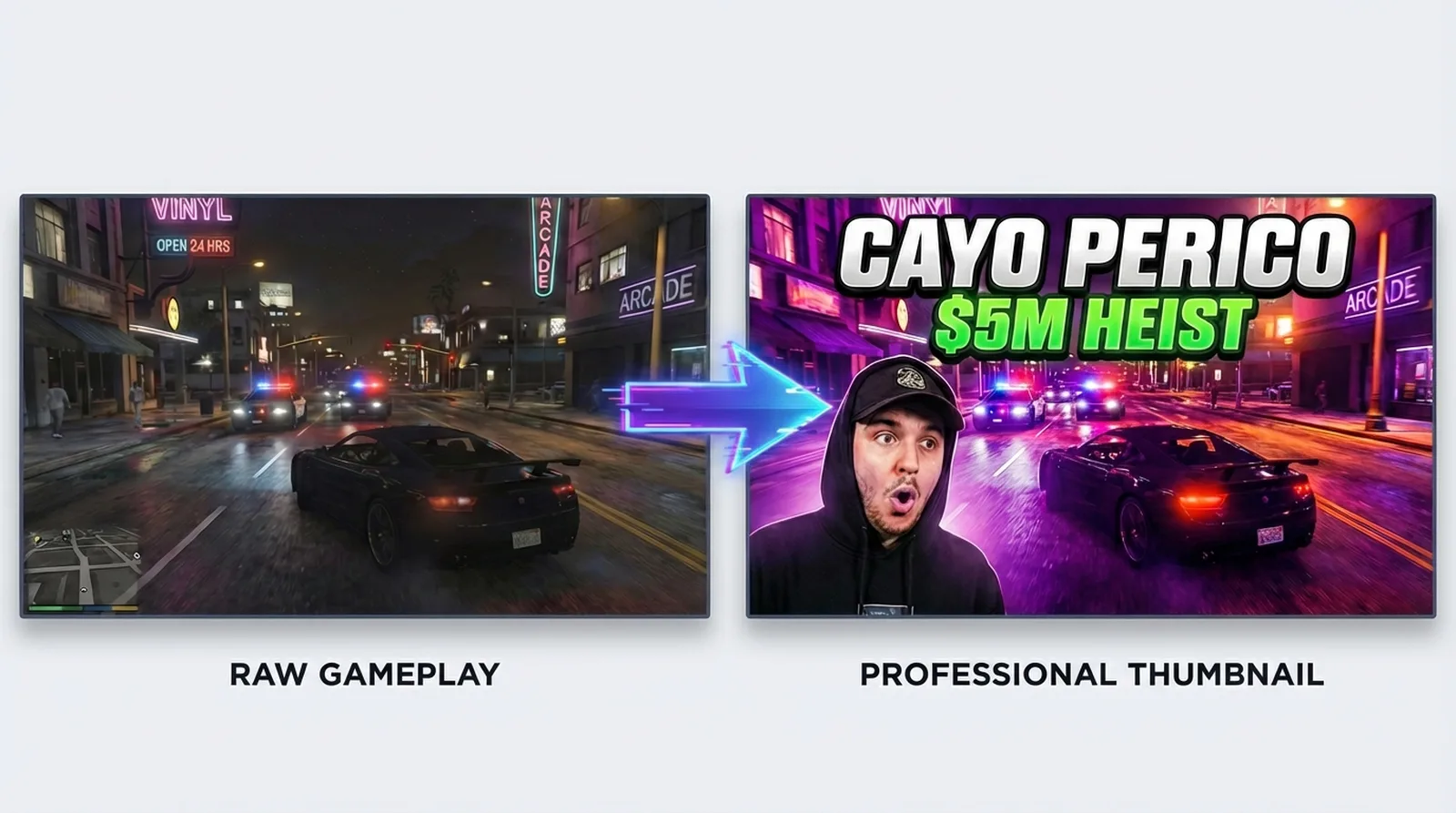



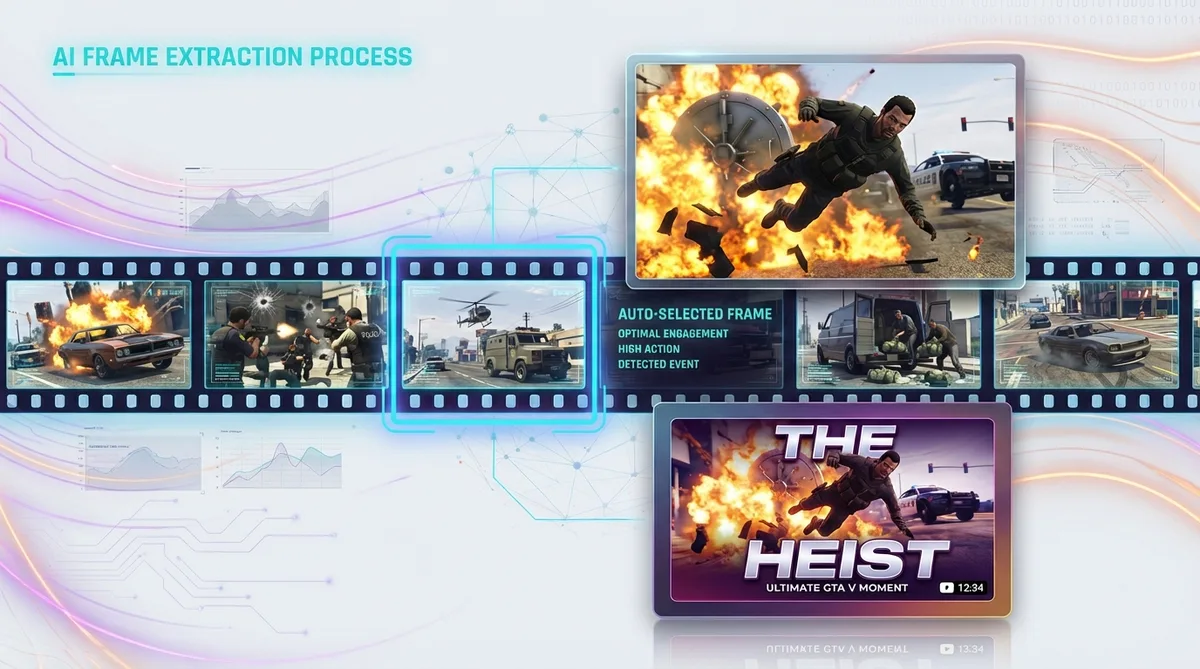
Skip the Rockstar Editor pipeline
GTA thumbnails run through a two-tool bottleneck: Rockstar Editor for cinematic screenshots, then Photoshop for compositing. That pipeline takes 20 to 40 minutes per thumbnail.
Link your GTA video URL and capture Los Santos without a second application.
Features
Make GTA thumbnails that match the game's energy
These features handle the visual demands specific to GTA content, from neon-lit RP scenes to explosive heist moments.
Turn GTA gameplay into thumbnails automatically
Video-to-Thumbnail feature works directly from your footage. Feed it a heist walkthrough URL and it selects the highest-energy frame. No Rockstar Editor screenshots required.
Add bold text readable on mobile
GTA thumbnails rely on short, high-impact text: dollar amounts, heist names, reaction words. The text generator defaults to bold, high-contrast fonts with neon glow and outline effects for dark Los Santos backgrounds.
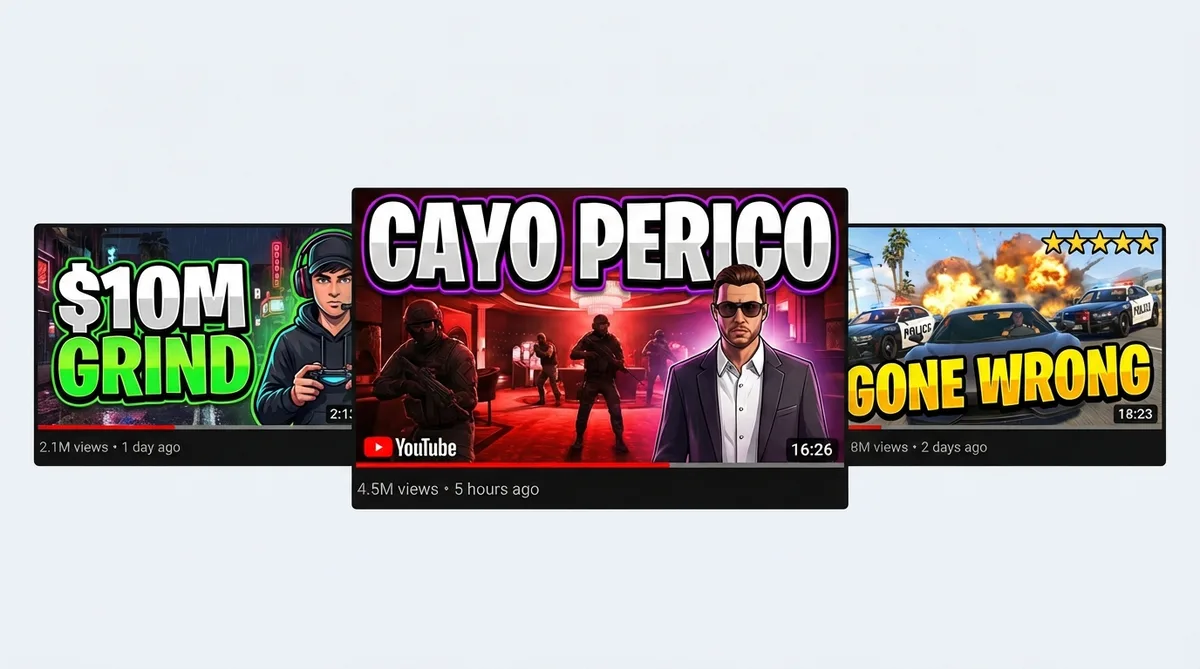
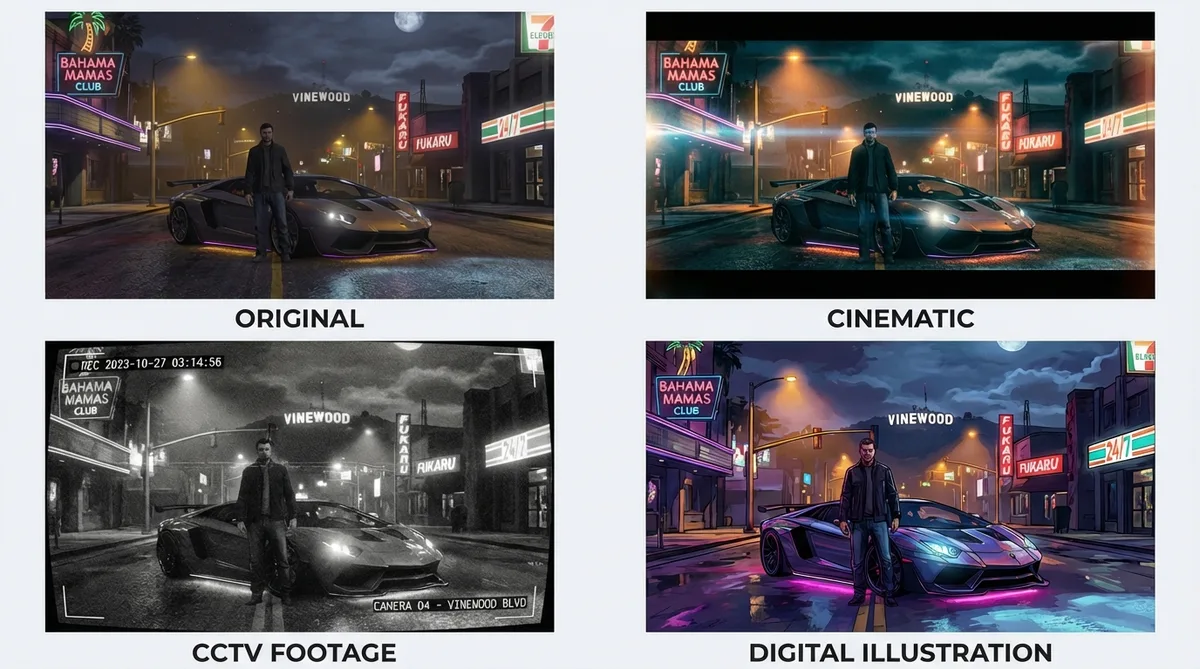
Apply cinematic filters for the GTA aesthetic
The Cinematic filter matches GTA's film-quality look for RP storylines and story mode content. CCTV Footage works for heist and stealth moments.
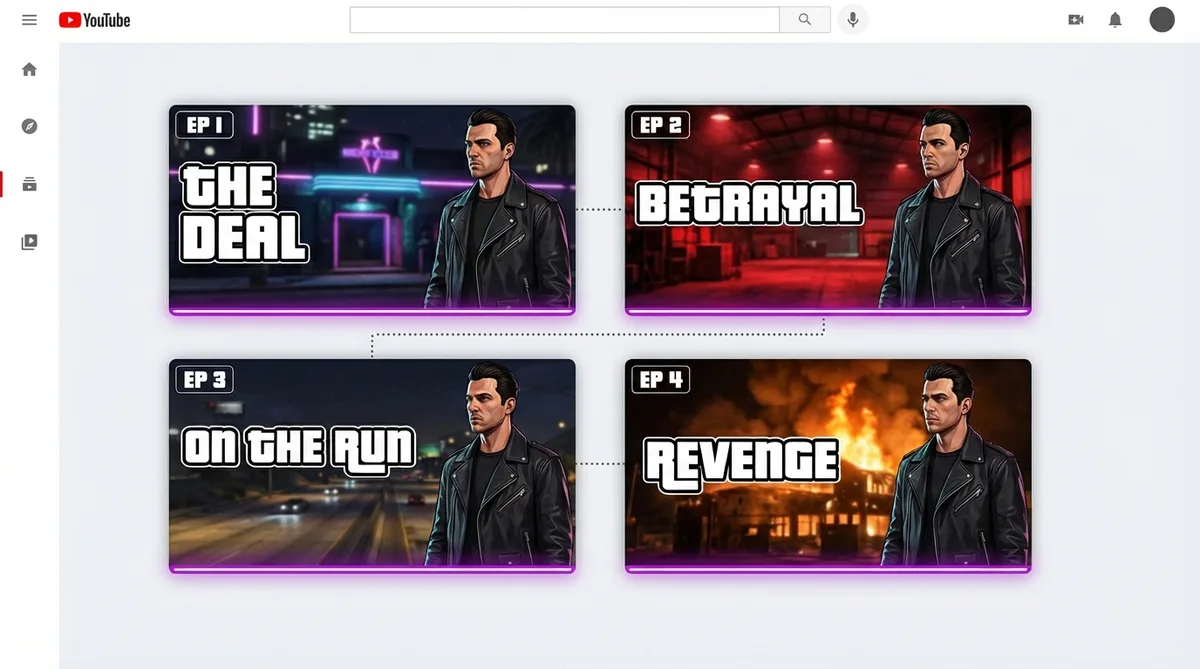
Keep RP series branding consistent
GTA RP creators on FiveM need the same character look across dozens of episodes. The replicate feature clones a thumbnail layout so each episode maintains visual continuity.
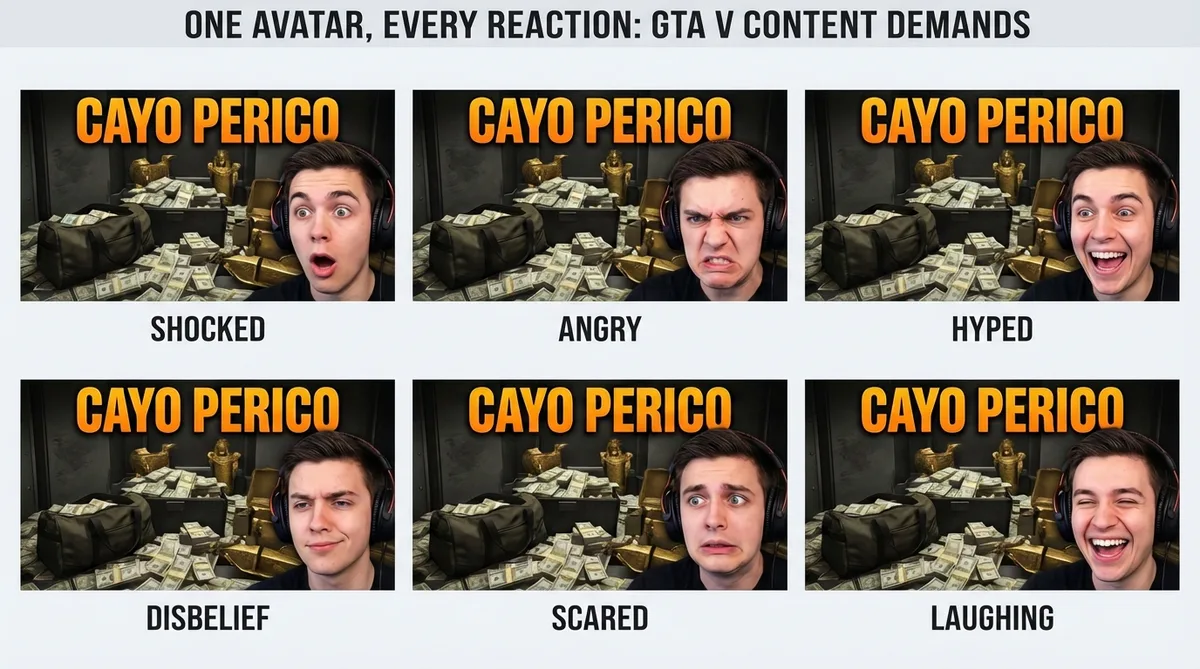
Swap expressions for GTA chaos
Heist gone wrong. Five-star wanted level. Car off a cliff. Upload one avatar photo and it covers every reaction GTA content demands - disbelief for a failed Cayo Perico, rage for a griefer encounter, or hype for a million-dollar payout.
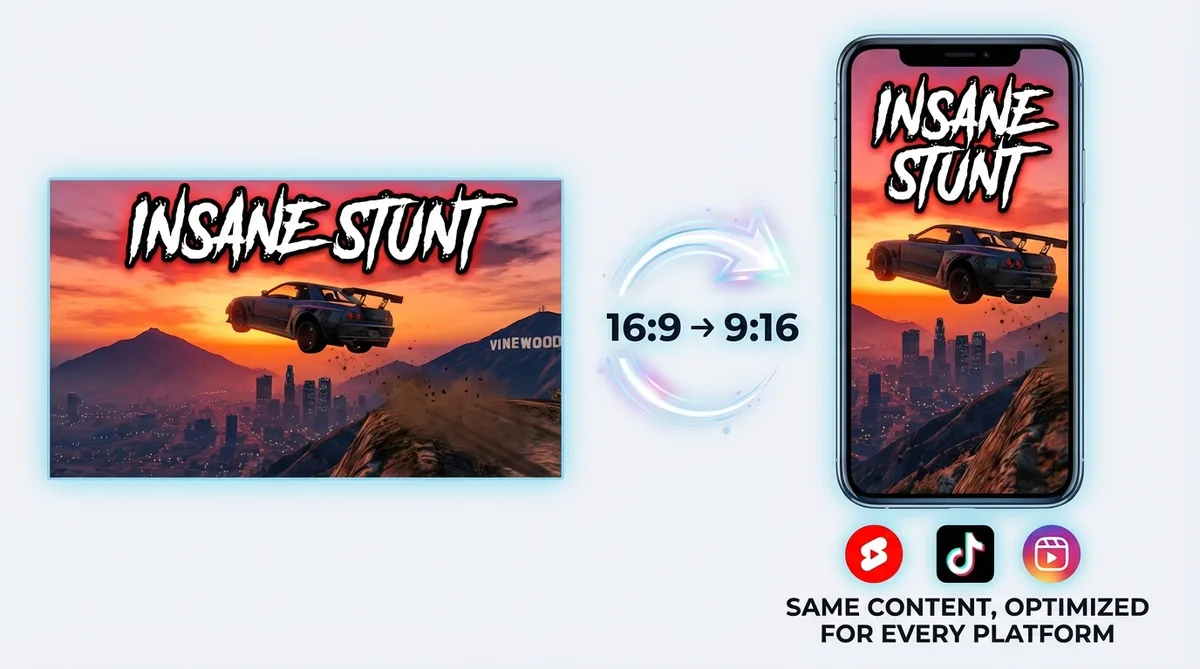
Switch to vertical for GTA Shorts
GTA stunt clips and chaos compilations perform on Shorts and TikTok. Switch to 9:16 and generate vertical thumbnails in the same workflow.
How it works
Use the GTA thumbnail maker in three steps
Add a URL, customize, and export at full resolution.
Add your GTA video
Link your heist walkthrough, RP episode, stunt montage, or GTA Online grind session. Upload raw footage if it is not on YouTube yet (MP4, MOV, AVI, WEBM up to 5GB).

Thumbmagic captures the cinematic frame
The tool scans your GTA footage for the highest-energy moment - a mid-heist explosion, a car launch off Chiliad, a five-star chase. It builds a composition with the cinematic color palette GTA thumbnails demand.

Add the Los Santos finishing touches
Swap expressions to match the chaos. Apply the Cinematic filter for RP drama or the CCTV filter for heist tension. Layer bold neon text over the dark background and export at 1280x720. Switch to 9:16 for stunt Shorts.
USE CASES
Built for every GTA content type
GTA spans multiple subgenres, each with distinct thumbnail conventions.
Heist and money guides
Cayo Perico solos, Casino Heist setups, weekly grinding guides. Thumbmagic generates heist-themed compositions from your footage.
GTA RP and FiveM
FiveM roleplay series need dramatic lighting and character focus. The cinematic filter and replicate feature handle RP thumbnail production at episode scale.
Stunts and chaos
Mid-air vehicle shots, ragdoll physics, mod showcases. Thumbmagic identifies the most dramatic frame from your montage.
GTA news and updates
GTA 6 speculation, weekly update coverage, patch notes. Generate thumbnails from discussion-format videos without gameplay footage.
GTA Online
Weekly event cycles, new vehicles, casino updates. Quick-turn thumbnails that match the update's visual theme.
Frequently asked questions
What is the best free GTA thumbnail maker?

Thumbmagic generates cinematic GTA thumbnails from heist, RP, and stunt footage. Free to start: three generations, no card, no catch.
How do I make a GTA 5 thumbnail without Rockstar Editor?
Add your GTA video URL and skip R* Editor entirely (which was removed from PS4 and Xbox One). Thumbmagic captures the cinematic frame, applies GTA-style color grading, and builds the composition from your footage.
What size should GTA thumbnails be?
1280x720 pixels at 16:9 aspect ratio for YouTube. For GTA Shorts and TikTok clips, switch to 9:16 vertical format.
What makes a good GTA thumbnail?
High contrast, cinematic composition, and 2-3 words of bold text. Use bright colors (neon purple, hot orange) against darker backgrounds with a clear vehicle, character, or action element.
How do I make thumbnails for GTA RP?
Link your FiveM or GTA RP video URL. Apply the cinematic filter for dramatic lighting. Use the replicate feature to keep consistent character branding across episodes.
Can I make GTA Online thumbnails with AI?
Yes. Drop your GTA Online video URL and Thumbmagic generates thumbnails from your actual heist, grind, or update footage. No text prompts required.
Start making GTA thumbnails
Generate studio-quality thumbnails that stop scrolling and drive clicks in seconds. No design skills needed.
+50% average CTR increase
2× faster production speed
90% reduction in design cost
